...

POS Hardware

Compare POS systems, payment terminals and accessories for your business. Start with the equipment type, then narrow the results by brand and connectivity. Before ordering, check compatibility with your POS software and payment processor.

All products

Sort By:

Aldelo POS System

Aldelo POS is a point of sale system for restaurants, bars and cafés. It keeps order entry, payments, inventory and reporting in one place, with cloud and Windows options. Below: what a station includes, what affects the price, and how Smart Payment Solutions handles installation, payment processing and staff onboarding.
4.8/5 — Rated by 32 votes
$2,499.00

Aloha Cloud POS

Aloha Cloud POS is an advanced point-of-sale system designed by NCR, a leader in hospitality technology solutions
4.8/5 — Rated by 9 votes

Clover Accessories

Clover doesn’t just offer POS terminals—they’ve created a range of accessories
4.8/5 — Rated by 13 votes

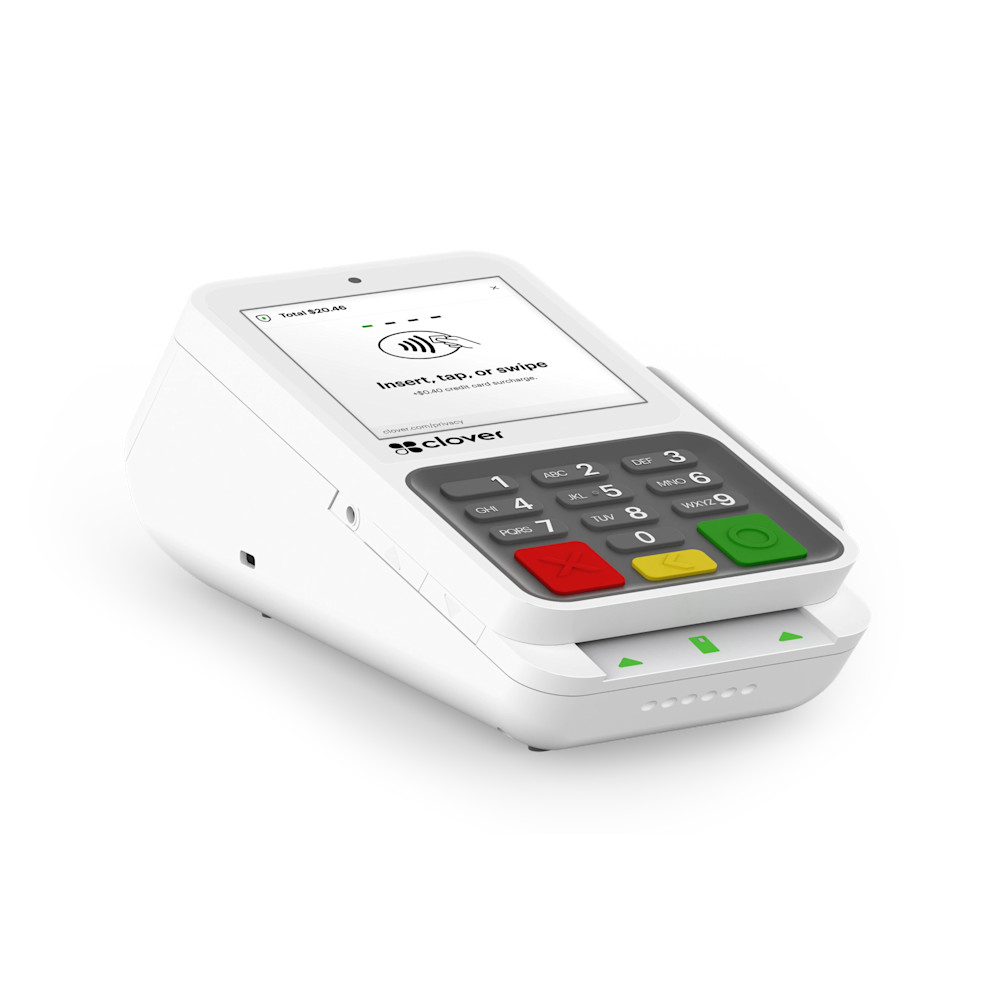
Clover Compact

Clover Compact is a countertop card terminal with a 3.6-inch touchscreen, physical PIN keypad and built-in receipt printer. Accept chip, swipe and contactless payments. Request a quote for hardware, setup and payment processing.
4.7/5 — Rated by 4 votes

Clover Station Duo POS System

Clover Station Duo is a dual-screen POS system for retail, restaurant, and service counters that need fast checkout, a customer-facing display, built-in receipt printing, and professional setup support.
5/5 — Rated by 11 votes

Clover Station Solo

Is your business in need of a powerful POS system that won’t break the bank?
4.7/5 — Rated by 10 votes

Heartland Retail POS

Heartland Retail POS is a cloud-based point-of-sale system for retail stores that need checkout tools, inventory management, customer data, sales reporting, and integrated payment processing. It can support card payments, debit cards, mobile payments, and compatible retail POS hardware.
4.7/5 — Rated by 20 votes
$99.00 per month

Start with the equipment your business needs

A complete POS setup

Start with POS systems if you need checkout software and equipment for day-to-day sales. Check which components and subscriptions are included in the selected offer.

A way to accept card payments

Compare payment terminals and card readers. Check connectivity, receipt printing and compatibility with your payment processor.

Equipment for an existing system

For a printer, scanner, display or other accessory, confirm the exact model and software compatibility before ordering.

Before you choose equipment

  • Confirm your current POS software, version and payment processor.
  • Check the device connection and any required phone, tablet or other equipment.
  • Request an itemized quote covering hardware, software, processing charges and optional equipment.
  • Confirm who handles installation, software support and the hardware warranty.

Ask about compatibility before choosing equipment for an existing setup.

Choosing the Right POS Hardware

Selecting the right point of sale hardware will involve a few different factors:

  • Durability: Hardware should be able to withstand the rigors of your business, whether it's resistant to spills in a restaurant or strong enough to handle high-volume transactions in a busy retail store.
  • Performance: Choose hardware that can handle the processing demands of your POS software without lagging, so that you have quick transaction times and aren’t risking the loss of sales.
  • Scalability: As your business grows, your point of sale hardware should be able to grow right alongside it, either through additional modules or easy upgrades. Opt for a system that can be modified at any point.

Compatibility and Integration

The ability to integrate your point of sale equipment with existing systems is helpful for both you and your team members. It should connect with other business systems like inventory management, accounting software, and customer relationship management tools with little to no issue. Compatibility means that data flows smoothly across all platforms at all times.
Kviz
Not Sure Which POS System Is Right for You?
Answer a few quick questions and we’ll help match your business with the right POS system, payment terminal, and processing setup.
What type of business do you need a POS system for?
Is this for a new or for the existing business?
What solution are you interested in?
What functionality must your terminal have?
What functionality must your POS solution have?
What brands are you most interested in?
Will you need training for your staff on how to use your new equipment?

    Who WE are AT Smart Payment Solutions

    For over 10 years, Smart Payment Solutions has helped restaurants, retailers and service businesses choose, install and run their point of sale and payment setup. We are an authorized sales and service office for Shift4 and CardConnect.

    POS hardware setup with terminal and scanner
    HOW IT WORKS
    STEP 1
    CONSULTATION icon
    CONSULTATION
    Unlock your business potential with personalized consultations. Share your needs, and our experts will guide you to the optimal payment system, collaborating with leading manufacturers.
    STEP 2
    POS SELECTION icon
    POS SELECTION
    Immerse in hands-on experiences. Our experts conduct in-person and virtual demos, aligning the perfect point of sale system with your business objectives.
    STEP 3
    ONBOARDING icon
    ONBOARDING
    After working with our experts, you can feel confident about making a decision on the best payment system for your business needs.
    STEP 4
    ONGOING CUSTOMER SUPPORT icon
    ONGOING CUSTOMER SUPPORT
    Once you select the right POS solution, we'll create a plan for success. The Smart Payment Solutions team will help your employees get started with the new system.

    What do our customers think about us

    Frequently Asked Questions

    SkyTab Mobile Payment Terminal displaying payment approved screen
    Business consultant ready to assist

      Any other questions?

      Schedule Your Free CONSULTATION Today

      This site is protected by reCAPTCHA and the Google Privacy Policy and
      Terms of Service apply.
      Back up