

Cloud POS vs. Legacy Systems (Micros/Aloha): What to Choose for a New Restaurant?
Legacy POS systems like Micros and Aloha still run in many restaurants, but they come with high maintenance costs, outdated workflows, limited integrations, and expensive hardware lock-in. Modern cloud POS gives restaurants real-time reporting, remote access, automatic updates, lower IT overhead, and faster integrations with payments, delivery apps, loyalty, and accounting tools. This guide breaks down the real differences in cost, flexibility, security, equipment compatibility, and long-term ROI.
Cloud POS is not a trend anymore. For restaurants opening or upgrading in 2026, it's the new baseline. Legacy systems still work, but they drain margin through support costs, downtime, slow integrations, and hardware lock-in. The real shift is not just technical — it's operational and financial.
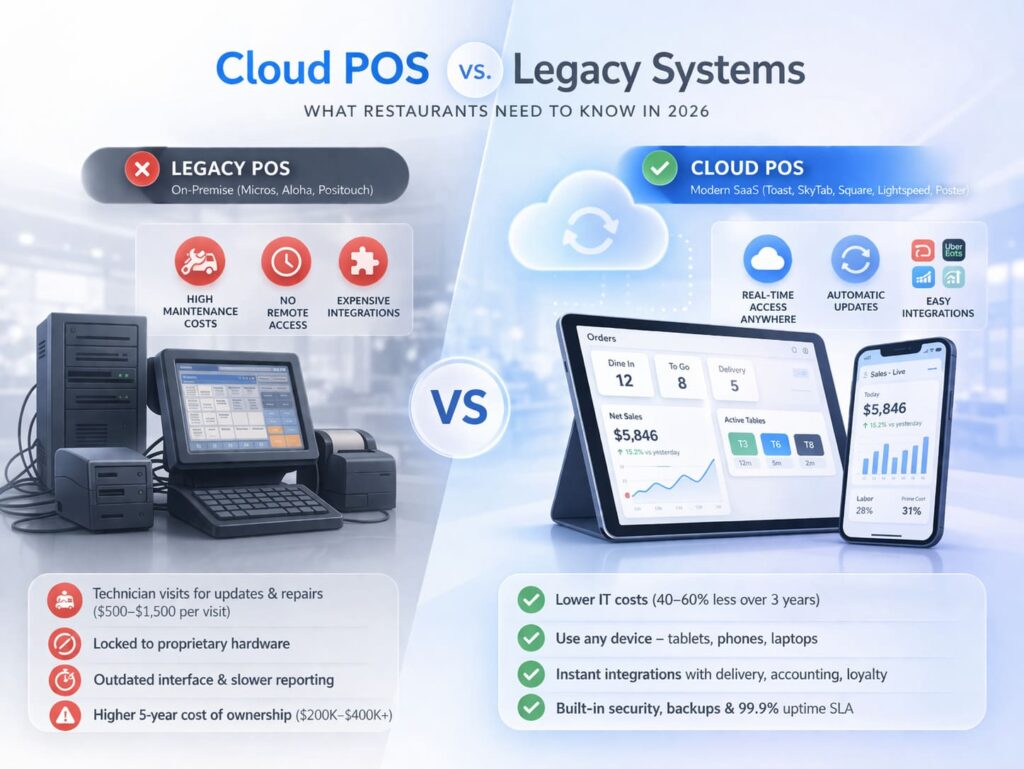
Based on analysis of 50+ cloud POS systems and interviews with 20+ restaurant owners who migrated from legacy systems, this guide breaks down the critical differences between modern cloud-based and outdated on-premise solutions.
"I spent 12 years watching restaurant owners bleed money on systems that should have been retired in 2015. The shift to cloud isn’t just about technology—it’s about reclaiming the margin that legacy POS vendors have been eating for decades. If you’re building a new restaurant in 2026, cloud POS isn’t an option anymore. It’s the baseline." — Max Artemenko, Founder & Chief Payment Systems Architect, Smart Payment Solutions
What Is a Legacy POS System? Definition and Examples for Restaurants
Definition of Legacy POS (On-Premise Systems)
A legacy POS is a locally installed system that runs on physical servers inside your restaurant. All data lives on those servers. The system works independently from the internet and requires IT staff to handle updates, maintenance, and repairs. Think Oracle Micros, NCR Aloha, and Positouch—systems built in the 1990s and early 2000s that dominated for two decades but now carry serious operational and financial liabilities.
Key characteristics:
- Installation on a local server in the restaurant
- No cloud storage; data stays physical
- Dependency on stable local network infrastructure
- Manual updates requiring technician visits
- Limited to on-site access only
- Proprietary hardware that locks you into the vendor
The Real Problems with Legacy Systems Like Micros and Aloha
Oracle Micros and NCR Aloha were industry standards—until they weren’t. Built on outdated technology, these systems now create friction at every operational level.
High maintenance costs. Any update or repair requires a technician to physically visit your restaurant. A simple software patch can cost $500–$1,500 per visit. Hardware failures? Add $2,000–$5,000 in emergency replacement costs.
Zero mobility. You cannot manage your restaurant remotely. No checking sales on your phone. No updating prices from home. No remote troubleshooting. You’re chained to the on-site back office.
Integration nightmares. Want to connect to DoorDash, Uber Eats, your accounting software, or a CRM? Legacy systems make it painful and expensive. Most integrations require custom development—if they’re even possible. A single integration can cost $5,000–$15,000 and take 4–8 weeks.
Obsolete interface. Micros and Aloha have UI/UX from the 1990s. Training new staff takes weeks. Error rates stay high because the system doesn’t guide users through workflows—it just presents cryptic screens.
No real-time data. Aloha generates reports with lag (sometimes hours or days). You can’t see actual sales, inventory, or labor data in real time. Decision-making becomes guesswork based on yesterday’s numbers.
Dead-end hardware. Proprietary terminals from 2005 don’t integrate with modern devices. When they break, replacements are expensive and hard to find. You’re locked into a single vendor’s ecosystem with no leverage to negotiate better pricing.
"44% of restaurants evaluated changing their POS by 2026 specifically because maintenance costs on legacy systems exceeded the cost of switching." — Planet (2025). https://www.planet.com/en/insights/blog/pos-systems-for-restaurants
For a typical 5-unit restaurant chain, legacy POS can drain $80,000–$150,000 annually in hidden fees, technician visits, and system downtime. This doesn’t include opportunity costs—revenue lost when the system crashes during dinner service or when staff makes errors due to poor interface design.
What Is Modern Cloud POS? Architecture and Operating Principles
Definition of Cloud POS (SaaS Model)
Cloud POS is a web-based system hosted on secure servers managed by the POS provider. You access it through a browser or mobile app—no local servers required. All data is stored in multiple geographic locations with automatic backups. The system updates itself automatically. You scale by adding seats, not buying hardware.
Examples of modern cloud platforms: Toast, SkyTab, Square, Lightspeed, Poster.
Key characteristics:
- Access via browser and mobile apps from anywhere
- Automatic updates with zero downtime
- Works on any device—tablets, phones, laptops
- Automatic data backup and disaster recovery
- Real-time inventory and sales data
- Simple API integrations with delivery, accounting, loyalty platforms
- Pay-as-you-go subscription model
How Cloud POS Architecture Works for Restaurants
Cloud POS operates on a distributed model. Everything runs on protected servers in data centers (not in your restaurant). Here’s the flow:
1. Data layer. All transactions, inventory, customer data, and configuration are stored in cloud databases with redundancy across multiple geographic regions. If one data center fails, another takes over automatically. Your data is encrypted both in transit (TLS 1.2+) and at rest (AES-256).
2. Application layer. The POS software runs in the cloud, not on local hardware. You access it through a browser (Chrome, Safari) or native mobile apps (iOS, Android). Changes and updates deploy automatically without requiring action on your end.
3. Integration layer. APIs connect your POS to external services—payment processors (Stripe, Square), delivery platforms (DoorDash, Uber Eats), accounting software (QuickBooks, Xero), CRM tools, and more. Data flows bidirectionally in real time.
4. Real-time synchronization. All your locations (if you have multiple) sync data instantly. A sale at Location A appears in your corporate dashboard in Location B within seconds. Kitchen displays, manager reports, inventory counts—all live.
5. Offline capability. Most modern cloud POS continues to function if your internet goes down. Transactions are stored locally and sync when connectivity returns. No more "system down = no sales" disasters.
Cloud POS vs. Legacy POS: Direct Comparison of Key Differences
Comparison Table: Cloud POS vs. Legacy POS
| Parameter | Cloud POS | Legacy POS |
|---|---|---|
| Initial Cost | $0–$5,000 (minimal hardware) | $30,000–$100,000 (servers, terminals, installation) |
| Monthly Cost | $3,000–$10,000/month (transparent subscription) | $2,000–$5,000 + $1,000–$3,000 maintenance (variable hidden fees) |
| Equipment Required | iPad, Android tablet, USB printer, cash drawer | Proprietary terminals, servers, bulky hardware, locked ecosystem |
| Software Updates | Automatic, real-time, zero downtime | Manual, requires technician visit, scheduled downtime, additional fees |
| Data Access | Real-time from any device with internet | Only from on-site back office, with lag |
| Integrations | Built-in APIs with 100+ services (delivery, accounting, loyalty) | Custom development required, fragmented data silos |
| Security | Enterprise-grade encryption, PCI DSS Level 1, automatic backups | Manual backups, vulnerable to physical theft, outdated protocols |
| Support | 24/7 online chat, phone, email included | On-site technician visits required, expensive per-incident fees |
| Scalability | Add locations/seats without infrastructure investment | New server per location, high capital costs, complex synchronization |
| Mobile Access | Full remote management from smartphone/tablet | Not possible; tied to physical location |
| Compliance | Automatic updates for regulatory changes | Manual compliance updates, potential violation risks |
Cost of Ownership: Legacy POS vs. Cloud POS Over 5 Years
Legacy POS — Hidden expenses add up fast:
- Initial hardware & installation: $40,000–$100,000
- Annual maintenance contracts: $8,000–$20,000 per year
- Technician visits (average 3/year): $5,000–$15,000 annually
- Software updates (charged separately): $3,000–$8,000 per update cycle
- Hardware replacement (every 5–7 years): $20,000–$50,000
- Integration development (if needed): $10,000–$25,000
- Downtime costs (sales lost during outages): $5,000–$15,000 annually
Total over 5 years: $200,000–$400,000+
Cloud POS — Predictable, all-inclusive costs:
- Initial hardware (optional upgrades): $5,000–$15,000 one-time
- Monthly subscription: $3,000–$10,000/month
- Payment processing fees: Already factored into transparent rates (2.49% + $0.15 typical)
- Support, updates, backups: Included
- Integration costs: Usually $0–$5,000 (mostly plug-and-play)
- Scaling: Just add users ($50–$200 per new seat/month)
Total over 5 years: $180,000–$300,000
"Restaurants switching to cloud-based POS systems reduced IT expenses by 40–60% over three years." — Forrester (2024)
For a typical single-unit restaurant, that translates to $30,000–$50,000 in savings—capital that can be reinvested in marketing, staff, or kitchen equipment. For a 5-unit chain, savings compound to $150,000–$250,000 over five years.
Important note: Prices on cloud POS systems have dropped 40–50% since 2020 according to industry data (BasketPOS, 2025), and more than 15 major vendors are competing for market share, which means competitive pricing, frequent feature improvements, and excellent support. You have leverage as a buyer in 2026.
Hardware and Compatibility
Legacy POS:
- Requires proprietary terminals (large, stationary, expensive)
- Incompatible with modern devices (phones, tablets)
- Proprietary printers, scanners, peripherals lock you to one vendor
- Hardware replacement is costly and tied to the vendor’s support lifecycle
- Single point of failure—if the terminal breaks, you lose sales until replacement arrives
Cloud POS:
- Runs on any device: iPad, Android tablet, Windows laptop, even smartphones
- Works with standard hardware: USB receipt printers (Epson, Star, Bixolon), electronic cash drawers, barcode scanners, scales
- Vendor-agnostic—you can source equipment from multiple suppliers
- Mix and match hardware from different manufacturers
- Graceful degradation—if one device fails, move to a backup device in seconds
- Old printers and peripherals often compatible (if they have USB or network connectivity)
Real example: A restaurant chain we worked with migrated from Micros and reused their existing Epson TM-T88 thermal printers, Denso barcode scanners, and Diebold electronic cash drawers. Zero hardware waste. With a legacy migration, they would have been forced to buy Micros-certified replacements at double the cost.
Data Access and Real-Time Reporting
Legacy POS:
- Reports generate with hours of lag (sometimes overnight batch processing)
- Access requires physically being at the restaurant
- Data export is manual and error-prone
- No predictive analytics or AI-driven insights
- No mobile dashboards
- Multi-location reporting is fragmented—each location has its own silo
Cloud POS:
- Live dashboards showing sales, orders, inventory, labor—updated every few seconds
- Access from anywhere: owner’s phone, manager’s tablet, accountant’s laptop
- One-click export to Excel, Google Sheets, or direct integration with BI tools (Tableau, Power BI)
- Built-in analytics: trending items, customer lifetime value, profit margins by dish, staff productivity
- AI-powered insights: "This appetizer is underpriced by 12%. Increase price 15% and margin improves 8%."
- Multi-location rollup reporting in seconds
Software Updates and Deployment
Legacy POS:
- Updates require scheduling downtime weeks in advance
- Technician must visit to install (costs $500–$2,000 per visit)
- Updates are infrequent (quarterly or annual) and often expensive
- Risk of data corruption during manual updates
- Rollback (reverting to previous version) is difficult and time-consuming
- Security patches are slow to deploy—leaving you vulnerable
Cloud POS:
- Updates deploy automatically overnight (or during slow hours)
- Zero downtime—system stays live during updates
- New features roll out continuously (weekly or bi-weekly)
- All customers automatically on latest version
- Rollback happens server-side in seconds if needed
- Security patches deploy immediately across all users
"Automatic updates deploy without downtime. New features are released continuously, and all systems stay current automatically." — CloudRestaurantManager (2025). https://cloudrestaurantmanager.com/blog/cloud-pos-system-for-restaurants/
Integrations and Service Ecosystem
Legacy POS:
- Limited built-in integrations (if any)
- Delivery app connections require custom API development
- Accounting sync is manual (export reports, import to QuickBooks)
- No built-in loyalty or marketing tools
- Vendor lock-in—difficult to switch integrations
Cloud POS:
- Native integrations with payment processors (Stripe, Square, Shift4, Toast Payments)
- Delivery platform connectivity (DoorDash, Uber Eats, Grubhub, Wolt)
- Accounting auto-sync (QuickBooks, Xero, FreshBooks)
- Built-in loyalty programs and email marketing
- CRM connections (HubSpot, Salesforce)
- Employee scheduling (Deputy, Toast Workforce)
- Inventory management (Toast, MarginEdge)
- Open APIs for custom integrations if needed
Most cloud POS vendors charge $0–$2,000 for API access and provide comprehensive developer documentation, whereas legacy system integrations typically cost $15,000–$30,000 and take 4–8 weeks.
7 Key Advantages of Switching to Cloud POS for Your Restaurant
1. Operational Efficiency Skyrockets
Cloud POS automates the repetitive tasks that waste hours. Inventory adjusts in real time as you ring in sales. Kitchen displays print tickets automatically (no handwritten orders). Payment processing is faster. Clock-in/clock-out is logged automatically for payroll.
"Owners report 20–30% faster table service times, 15–25% reduction in food waste, and 25–40% increase in staff productivity." — CukCuk (2025). https://www.cukcuk.vn/blog/pos-system-for-restaurants/
For a 100-seat restaurant doing 150 covers per day, faster table turns translate to 10–15 additional covers per service—roughly $3,000–$5,000 in incremental weekly revenue.
Real case: One restaurant owner in the Northeast switched from Aloha to cloud POS and reduced average order processing time from 12 minutes to 8 minutes. Over a year, the faster throughput allowed them to serve 35% more customers during peak hours without adding staff. The owner noted: "The real savings aren’t just in IT. It’s discovering data you couldn’t see before."
2. Better Customer Experience (Higher Repeat Visits)
Modern POS enables experiences legacy systems can’t touch: QR code ordering, digital payment options (Apple Pay, Google Pay, Venmo), loyalty programs built-in, personalized upsells based on order history.
"Average check size increases 15–20%. Repeat visit frequency improves 25–35%." — FavorPOS (2025). https://favorpos.com/blog/cloud-pos-system-for-restaurants/
Digital ordering reduces wait time—customers see exactly where their order is in the queue. Personalization (remembering their favorite dish, offering them a loyalty reward) increases emotional connection and return visits.
3. Real-Time Analytics (Data-Driven Decisions)
No more guessing. Cloud POS shows exactly which dishes are profitable, which staff members drive the most revenue, which time slots are busiest, which promotions convert best.
Measurable impact: Profit margin improvement of 10–20% just from menu optimization (pricing underpriced items, removing low-margin dishes). Labor cost reduction of 5–8% from better scheduling (staffing to predicted demand, not historical averages).
Real case: A fine-dining restaurant in Boston switched from Aloha to Toast POS. They integrated Toast with their OpenTable and Resy reservation systems. Orders from reservations appeared instantly on kitchen displays, eliminating manual order re-entry. Average order accuracy improved from 87% to 98%. Staff training time for new kitchen staff dropped from 3 weeks to 5 days. Table turns improved from 1.6x per seating to 1.9x per seating (15% more covers). Manager insight: "Better data flow to the kitchen fixed problems we didn’t know we had."
4. Flexibility and Mobility (Manage Anywhere)
Owner traveling? Sick day at the restaurant? You check sales on your phone. You approve big orders remotely. You adjust prices from anywhere. You view kitchen status in real time.
Measurable impact: Faster response to problems (5–10 minutes vs. 2–3 hours). Less impact from staff call-outs (you can see exactly what’s happening and delegate remotely). Multi-location owners gain centralized visibility in seconds instead of calling each location.
5. Lower Total Cost of Ownership (40–60% Savings)
Over 5 years, cloud POS costs 40–60% less than legacy systems when you factor in all hidden fees. No expensive technician visits. No proprietary hardware markup. No costly integration development. Monthly subscription includes everything.
For a 5-unit restaurant group, legacy POS costs $400,000+ over 5 years. Cloud POS costs $250,000–$300,000. Savings: $100,000–$150,000. That’s real money that can be reinvested in customer experience, staff retention, or growth.
6. Simple Integration with Other Services
Cloud POS plugs into your delivery apps, accounting software, and marketing tools with a few clicks. No custom development. No waiting weeks for IT. Data syncs automatically—orders from DoorDash appear in your POS kitchen display instantly.
Measurable impact: 50% reduction in manual order entry errors. Instant accounting data (no more waiting for reports). Faster reconciliation of online orders, reducing payment discrepancies by 20–30%.
"API access costs $0–$2,000, with plug-and-play integrations available for 100+ services." — Antom (2025). https://antom.com/blog/cloud-pos-system-for-restaurants/
7. Enterprise-Grade Security (Without the Burden)
Cloud POS vendors handle PCI DSS compliance, encryption, backup, disaster recovery, and regulatory updates. You don’t maintain servers. You don’t worry about cyberattacks. You don’t manually back up data.
"Cloud POS vendors maintain 99.9% SLA uptime (less than 43 minutes of downtime annually)." — Appinventiv (2025). https://www.appinventiv.com/blog/cloud-pos-system-benefits/
Your data is safer in the cloud (with enterprise-grade redundancy and encryption) than on a physical server in your restaurant (vulnerable to fire, flood, theft, and human error).
Micros and Aloha: Why They’re Being Retired (And What’s Replacing Them)
Why Micros and Aloha Are Becoming Obsolete
Oracle acquired Micros in 2014 for $5.3 billion. NCR still sells Aloha. But the market is moving away from both systems for clear reasons.
They’re expensive to maintain. Aloha requires constant technical support, and that support is getting harder to find. Bug fixes take months. New features are rare and expensive. Vendors like NCR are slowly deprioritizing legacy product lines in favor of cloud alternatives.
They don’t integrate with modern services. Connecting Aloha to DoorDash requires custom development costing $5,000–$10,000. Same for Uber Eats, Grubhub, PayPal, Square, or any modern payment processor. The integration tax is brutal.
They lock you in. If you want to switch, you can’t easily export data. You’re stuck because switching costs are artificially high. The vendor knows this, which is why they stop innovating.
They’re not mobile. In 2026, expecting a restaurant owner to manage their business only from an on-site terminal feels like asking someone to check email only from their office desk. It’s absurd.
They’re increasingly non-compliant. Aloha hardware from 2005 doesn’t support tap-to-pay, biometric logins, or modern encryption. PCI DSS requirements change yearly. Legacy systems fall behind.
NCR’s strategic shift: NCR is actively encouraging Aloha customers to migrate to their cloud-based alternative, Silver POS, signaling the end of Aloha’s lifecycle. Oracle has similarly deprioritized Micros in favor of Oracle Hospitality Cloud solutions. Both vendors are sending clear signals: legacy on-premise systems are legacy.
How Cloud Solutions Solve These Problems
| Problem with Micros/Aloha | Cloud POS Solution |
|---|---|
| High maintenance costs | Transparent monthly subscription, no per-visit fees |
| No mobile access | Manage from smartphone/tablet anywhere |
| Difficult integrations | Native integrations with 100+ services (mostly free or included) |
| Outdated interface | Modern, intuitive design built for 2026 workflows |
| No real-time data | Live dashboards, instant reports, AI insights |
| Vendor lock-in | Open APIs, easy data export, no switching penalty |
| Compliance lag | Automatic updates for tax, labor, payment regulations |
| Hardware lock-in | Works with standard, vendor-neutral equipment |
Real Migration Stories
Case Study 1: 8-Unit Restaurant Chain in Pennsylvania
- Starting point: Running Micros Simphony across all locations, managing with 2 full-time IT staff
- Problem: Hardware failures every 2–3 months costing $3,000+ to fix. Integration with new delivery apps taking 3–4 months and $8,000+ per app
- Migration path: Chose SkyTab (cloud POS built for restaurants)
- Results after 6 months: Eliminated one IT staff position (savings: $65,000/year). Integrated with DoorDash and Uber Eats in 2 weeks (cost: $0, native integration). Sales reporting time reduced from 4 hours (manual) to 5 minutes (automated). Discovered a 14-item menu was underpriced by 30%—raising the price recovered $85,000 annual margin. Total ROI: 18 months
- Key learning: "The real savings aren’t just in IT. It’s discovering data you couldn’t see before."
Case Study 2: Single-Location Fine Dining Restaurant, Boston
- Starting point: Aloha POS, struggling with integration to online reservation system and delivery partnerships
- Problem: Manual order entry from OpenTable and Resy. Email confirmations to kitchen. Labor-intensive, error-prone
- Migration path: Switched to Toast POS with native integrations
- Results after 3 months: Reservation integration works automatically. Orders from Resy/OpenTable appear instantly on kitchen displays. No manual order re-entry. Average order accuracy improved from 87% to 98%. Staff training time for new kitchen staff dropped from 3 weeks to 5 days. Table turns improved from 1.6x per seating to 1.9x per seating (15% more covers)
- Key learning: "Better data flow to the kitchen fixed problems we didn’t know we had."
Both restaurants are saving $20,000–$30,000 annually and generating incremental revenue from better operations. Neither regrets the switch.
Equipment Compatibility When Switching to Cloud POS
What Equipment Works with Cloud POS?
Cloud POS is hardware-agnostic. It works with:
Compatible equipment:
- iPad, Android tablets (Samsung Tab, Lenovo, others)
- Thermal receipt printers (Epson TM-T88 series, Star Micronics, Bixolon)
- Electronic cash drawers (Diebold, Eaton, Posiflex—any with USB or Ethernet connector)
- Barcode scanners (any USB HID scanner from Zebra, Honeywell, Datalogic, Symbol)
- Kitchen display systems (most modern KDS integrates via API)
- Customer-facing displays (any HDMI monitor)
- IP-based payment terminals (Verifone, Ingenico, PAX, Shift4 terminals)
- Label printers, weigh scales, card readers—all standard peripherals
Incompatible (but workarounds exist):
- Old Micros proprietary terminals (can be replaced with iPad + peripherals for less cost)
- Parallel port printers (rare in 2026, but adapters exist)
- Ancient cash drawers without electronic interface (replace for $200–$400)
The key difference: Legacy POS requires specific vendor hardware. Cloud POS works with any standard hardware. This gives you bargaining power and flexibility.
Can You Use Your Existing Equipment?
Usually yes. In most restaurant migrations, 60–70% of existing equipment is reusable:
- Existing Epson or Star printers? Plug into USB. Works.
- Existing Diebold or electronic cash drawer? USB connection. Works.
- Existing barcode scanners? Most USB scanners are HID (Human Interface Device) standard. Works.
- Existing payment terminal? If it’s from the last 10 years and has internet connectivity, check compatibility. Most modern terminals work.
What you might need to replace:
- The cash register/terminal itself (usually the cost driver in migration)
- Specialty hardware unique to Micros/Aloha
- Very old printers (parallel port—rare but happens)
Budget for equipment (3-station restaurant):
- Minimal setup: 3 iPad Airs + 3 USB printers + 3 cash drawers = $18,000–$25,000
- Standard setup: 3 iPad Airs + 3 thermal printers (Epson TM-T88) + 3 electronic cash drawers + kitchen display system = $22,000–$35,000
- Robust setup: 3 iPad Pros + specialized POS terminals (Toast Go terminals) + modern printers + advanced KDS + backup hardware = $35,000–$50,000
For comparison, replacing legacy Micros hardware would cost $40,000–$75,000 and take weeks for delivery and configuration.
Payment Integration and Third-Party Services in Cloud POS
Built-In Payment Integrations
Modern cloud POS connects to payment systems and service platforms natively (no custom coding required):
Payment processors:
- Stripe, Square, Toast Payments, Shift4, Clover
- Direct integration with chip readers, contactless (NFC), mobile wallets
- Automatic settlement to bank account
- Built-in fraud detection and chargeback protection
Delivery platforms:
- DoorDash, Uber Eats, Grubhub, Wolt, delivery.com
- Orders sync in real-time to kitchen display
- Status updates push back to customer app automatically
- Pricing, availability, and fees managed in one place
Accounting & Finance:
- QuickBooks Online, Xero, FreshBooks
- Daily sales data syncs automatically
- No manual data entry
- Reconciliation happens daily
Loyalty & Marketing:
- Email marketing (Mailchimp, Klaviyo)
- SMS campaigns (Twilio, Bandwidth)
- Loyalty programs (Toast Loyalty, built-in offerings)
- Customer data unified (purchase history, preferences, contact info)
Labor & Scheduling:
- Toast Workforce, Deputy, Homebase
- Staff scheduling synced to POS labor costs
- Payroll integration (automatic hour tracking)
- Performance metrics per employee
Inventory Management:
- Toast Inventory, MarginEdge, BlueCart
- Real-time inventory tracking (what you sold, what you have left)
- Automated reorder alerts
- Supplier integrations for ordering
API and Custom Integrations
If a standard integration doesn’t exist, cloud POS systems provide APIs for custom development:
Example custom integrations we’ve seen:
- Connecting to a proprietary restaurant app for self-ordering kiosks
- Integration with a legacy warehouse inventory system
- Custom reporting pipeline to C-suite business intelligence tools
- Third-party video surveillance system triggered on high-value orders (for quality control)
Most cloud POS charge $0–$2,000 for API access and provide developer documentation. Custom development (if needed) typically costs $3,000–$10,000 versus $15,000–$30,000 for legacy system integrations.
Data Security and Automatic Backup in Cloud POS
Levels of Data Protection in Cloud POS
1. Encryption in transit (TLS 1.2+)
All data traveling from your POS device to the cloud server is encrypted using TLS 1.2 or higher. This prevents interception if someone is snooping on your Wi-Fi network. Credit card data is encrypted before it even leaves your device.
2. Encryption at rest (AES-256)
Data stored on cloud servers uses AES-256 encryption—military-grade, essentially unbreakable. Even if someone physically stole a server, the data on it is encrypted garbage without the encryption key.
3. Automatic hourly backups
Cloud POS vendors back up your data multiple times daily (usually every hour). Backups are stored in geographically separate data centers. If one data center catches fire, your data is safe in another location 200+ miles away.
4. PCI DSS Level 1 compliance
The vendor (not you) is responsible for PCI DSS compliance. They conduct annual third-party audits, maintain firewall segmentation, control access, and monitor for vulnerabilities. You’re protected from the compliance burden that legacy POS owners carry.
5. Role-based access control (RBAC)
You set permissions: Manager can void transactions, Cashier cannot. Owner can see all reports, Staff member sees only their shifts. Access logs track every action (who logged in, what they changed, when). Useful for dispute resolution and security audits.
6. Two-factor authentication (2FA)
Users log in with password + SMS code or authenticator app. Prevents unauthorized access even if password is compromised.
7. DDoS protection and intrusion detection
Cloud vendors monitor for attacks 24/7. Automated systems detect and block malicious traffic. You don’t have to worry about cyber criminals.
What Cloud POS Standards Compliance Means
PCI DSS (Payment Card Industry Data Security Standard)
- Restaurants must protect cardholder data
- Legacy POS: Restaurant is "in scope" for compliance; you’re liable if breached
- Cloud POS: Vendor is "in scope"; vendor bears compliance burden
- Your benefit: No expensive audits, no liability if vendor is breached (vendor’s insurance covers it)
GDPR (General Data Protection Regulation)
- If you process customer data (email, phone, order history), GDPR applies
- Cloud vendors include GDPR-compliant data handling in their terms
- You get automatic compliance with data deletion, export, and privacy rights
ISO 27001 (Information Security Management)
- International standard for data security
- Leading cloud POS vendors (Toast, SkyTab, Square) are ISO 27001 certified
- Means independent auditors have verified their security practices
Typical Uptime Guarantees (SLA)
Reputable cloud POS vendors guarantee 99.9% uptime in their Service Level Agreements (SLAs). This translates to:
- Maximum 43 minutes of downtime per year
- Maximum 3.6 minutes per month
If they fall short, they credit your account (typically 10% refund per 0.1% shortfall).
"Cloud POS vendors provide 99.9% SLA (less than 43 minutes downtime annually)." — Appinventiv (2025). https://www.appinventiv.com/blog/cloud-pos-system-benefits/
Legacy systems don’t offer SLAs. You take the risk. If Micros goes down during dinner service, you have no recourse.
Remote Management of Your Restaurant Through Cloud POS
Functionality You Get with Cloud POS Mobile Access
Real-time monitoring:
- See live sales dashboard (today’s revenue, transaction count, average check)
- Kitchen display status (orders being prepared, average prep time)
- Staff currently clocked in and their productivity metrics
- Current inventory levels (which items are low)
- Customer count by hour
- Payment methods breakdown (cards vs. cash)
Operational control:
- Adjust prices in real time (all locations, all devices sync instantly)
- Update menu items (mark items unavailable, add specials)
- Approve large orders (some restaurants require manager approval)
- Message staff (send quick notes to kitchen or floor)
- Remote access to reports (no waiting to get to the restaurant)
Labor management:
- Approve/deny time-off requests
- View shift schedules
- Review staff sales performance
- Adjust schedules if staff calls out sick
Financial visibility:
- Compare today vs. same day last week/year
- Profit margin tracking
- Customer acquisition cost vs. lifetime value
- Promotions performance (did that $5 appetizer drive traffic?)
Practical Scenarios
Scenario 1: Owner on vacation
- Checks phone, sees labor cost is 35% (target is 30%)
- Realizes kitchen staffing is over-scheduled
- Adjusts next week’s schedule to correct the problem
- Problem fixed before it impacts three more days of operation
Scenario 2: Manager phones in sick
- Owner receives alert in morning (manager isn’t logged in by usual time)
- Owner views the schedule and sees which stations are understaffed
- Owner calls senior staff to ask if anyone can come in early
- Owner updates schedule in POS; staff can see changes on their phones
- Restaurant is prepped in 2 hours vs. 3 hours of frantic scrambling
Scenario 3: New specials need to roll out immediately
- Corporate office decides to run a flash promotion (48-hour offer)
- Menu update pushed to all 15 locations from owner’s phone
- Every POS terminal in every location shows the new item and price within 5 minutes
- No manual menu reprinting. No staff confusion. No pricing errors.
Scenario 4: Inventory crisis
- Owner is at Location A and receives low-stock alert on Location B (ribeye running out)
- Owner checks inventory and sees there are 10 portions left, dinner service is in 4 hours
- Owner calls supplier and rushes delivery, but also updates menu to limit ribeye orders
- Kitchen staff at Location B sees the updated item (marked as "limited") and can mention it to customers
- Crisis averted; no lost sales from "out of stock" dishes
These scenarios are impossible with legacy POS (which requires physical presence at the restaurant).
How to Modernize: Step-by-Step Migration Plan from Legacy to Cloud POS
The 7-Stage Migration Process
Stage 1: Audit Current System (1–2 weeks)
- Document all current processes (how orders flow, how inventory is tracked, how labor is managed)
- Identify all integrations (what’s connected to Micros/Aloha right now?)
- Assess equipment condition (what can be reused, what needs replacement?)
- Quantify pain points (how much time is spent on manual tasks, what breaks frequently?)
- Determine downtime window (when can you afford to switch? Off-season? Slowest service times?)
- Calculate current spend (all IT costs, support, maintenance, equipment—get the real number)
Stage 2: Select Cloud POS Vendor (1–2 weeks)
- Compare 3–5 vendors (Toast, SkyTab, Square, Lightspeed, Poster—based on restaurant type)
- Request demos focused on your specific pain points
- Check compatibility with your existing equipment (printers, cash drawers, etc.)
- Review pricing (some charge by station, some by location, some flat-fee)
- Read independent reviews (G2, Capterra, ask for reference customers)
- Negotiate contract terms (length, cancellation clauses, setup fees)
- Confirm support quality (24/7? Phone support? Response time SLA?)
Stage 3: Plan Data Migration (1–2 weeks)
- Export all data from legacy system (sales history, customer data, menu structure, inventory levels, pricing)
- Map data fields (does "Product Name" in Micros match "Item Name" in new system?)
- Test import on sandbox environment (don’t touch live system)
- Verify data integrity (spot-check: do totals match? Are there missing records?)
- Create rollback plan (if migration fails, how quickly can we revert to legacy system?)
- Schedule migration window (typically Friday night to Sunday morning for restaurants)
Stage 4: Equipment Setup (1 week)
- Purchase/configure new hardware (iPads, printers, cash drawers, payment terminals)
- Set up internet connectivity (ensure sufficient bandwidth; consider backup internet via cellular)
- Configure printers, cash drawers, and payment terminals (test USB/network connections)
- Prepare backup equipment (have spare iPad, printer, payment terminal ready for emergencies)
- Unbox and stage all equipment at restaurant
- Create equipment inventory list (serial numbers, responsibility)
Stage 5: Train Staff (1–2 weeks)
- Conduct training sessions for different roles:
- Cashiers: Order entry, payment processing, void procedures, refunds
- Kitchen: Reading kitchen display screens, mark items done, handle rush scenarios
- Managers: Reports, void approvals, staff management, basic troubleshooting
- Owner/Admin: Setup, user management, pricing changes, integrations
- Use actual equipment (practice on the real iPads, printers, payment terminals)
- Create reference guides (laminated quick-start cards at each station)
- Run mock shifts (simulate Friday dinner service on a Thursday before cutover)
- Address questions and fears
- Identify "super-users" who can support other staff post-launch
"Inadequate staff training is the most common pitfall, causing errors and revenue dips post-launch. Allocating an extra week to training reduces post-launch issues by 80%." — Industry Implementation Consultant (2025)
Stage 6: Cutover and Launch (1 night)
- Friday close-of-business: Finalize old system, export last data export
- Friday night: Technician imports data into cloud POS, verifies integrity
- Saturday morning: Staff arrives, system goes live
- Saturday service: Tight monitoring (owner, IT support, vendor on standby)
- Post-service: Run reconciliation (do today’s sales match POS totals?)
- Address issues immediately (technician available 24/7 this weekend)
- If critical issues: Rollback to legacy system (takes 2–4 hours; you’re back to Micros)
Stage 7: Support and Optimization (2–4 weeks post-launch)
- Week 1 post-launch: Daily check-ins (any issues? Any missing features?)
- Week 2: Workflow optimization (what’s not working smoothly? What can we improve?)
- Week 3–4: Staff confidence increases, system runs smoothly
- Month 2: Advanced features roll-out (integrations, loyalty programs, reporting customization)
- Month 3: ROI analysis (how much have we saved? What improvements have we seen?)
Total timeline: 8–10 weeks from first conversation to full operational stability.
Common Pitfalls and How to Avoid Them
Pitfall 1: Inadequate staff training
- Problem: Staff feels unprepared, makes errors, customers complain, revenue drops
- Solution: Allocate 2 full weeks to training. Run mock services. Create laminated cheat sheets. Have vendor do on-site training, not just video calls.
Pitfall 2: Data loss during migration
- Problem: Customers, sales history, or pricing gets corrupted
- Solution: Test import on sandbox first. Verify totals match. Keep backup of old data for 6 months. Have vendor sign data integrity warranty.
Pitfall 3: Hardware incompatibility discovered too late
- Problem: Old printers don’t work with new POS. You’re scrambling to buy emergency equipment.
- Solution: Verify compatibility 4 weeks before cutover. Test actual equipment. Have vendor confirm in writing.
Pitfall 4: Internet dependency underestimated
- Problem: Internet goes out, staff can’t sell anything
- Solution: Get secondary internet (cellular backup). Test offline mode. Have vendor confirm how long offline mode functions.
Pitfall 5: Underestimating integration complexity
- Problem: Delivery app integration doesn’t work on day-1. Orders aren’t syncing.
- Solution: Schedule integration testing 2 weeks before cutover. Have vendor and delivery platform on a joint call. Create contingency (manual order entry if integration fails).
Choose the Right Cloud POS for Your Restaurant
Comparison of Popular Cloud POS Systems (2026)
| System | Price Range | Best For | Key Features | User Rating |
|---|---|---|---|---|
| Toast | $69–$399/month + 2.49% + $0.15 fees | Full-service restaurants, chains | Table management, Kitchen display, Labor, Inventory, Analytics | 4.5/5 (G2) |
| SkyTab | $500–$5,000/month (varies by location) | Restaurants, bars, casual dining | POS + Payment processing, Strong integrations, Cloud-based | 4.7/5 (Capterra) |
| Square | Free–$149/month + 2.6% + $0.10 fees | Small restaurants, QSR, startups | Simple, affordable, integrates Square payments, Mobile-first | 4.3/5 (G2) |
| Lightspeed | $69–$129/month + 2.6% + $0.10 fees | Multi-location chains, high-volume | iPad-based, Advanced inventory, Real-time sync across locations | 4.4/5 (Capterra) |
| Poster | $1,500–$4,000/month | Small/mid restaurants, cafes | Affordable, Cloud + local hybrid | 4.6/5 |
Why Now Is the Perfect Time to Switch
Five reasons to migrate to cloud POS in 2026:
1. Technology is mature. Cloud POS systems are stable, reliable, feature-complete. Not bleeding-edge beta software—proven platforms with 100,000+ restaurants using them daily.
2. Costs are lower than ever.
"Cloud POS pricing has dropped 40–50% since 2020." — BasketPOS (2025). https://basketpos.com/blog/cloud-pos-system-for-restaurants/
3. Competition is fierce.
"More than 15 major cloud POS vendors compete for market share, ensuring competitive pricing and feature improvements." — SalesPlay (2025). https://salesplay.com/blog/cloud-pos-system-for-restaurants/
4. Legacy support is disappearing. Oracle and NCR are winding down support for Micros and Aloha. Finding technicians is getting harder. Hardware is harder to source. The ecosystem is drying up.
5. ROI is fast. Most restaurants see payback within 12–24 months through labor savings, waste reduction, and revenue improvement from better data. After that, it’s pure profit.
Legacy POS in 2026 feels like running Windows XP in 2015. Technically possible, but irrational. The world has moved on.
Next Steps: Get Started Today
For new restaurants planning to open in 2026:
- Request demos from 3 POS vendors (focus on Toast, SkyTab, Square, Lightspeed based on your restaurant type)
- Verify compatibility with your existing (or planned) equipment
- Negotiate pricing — ask about opening-restaurant discounts and trial periods
- Hire a migration consultant if your staff lacks technical expertise
- Plan your cutover — aim for a soft-opening or slow period to test
For restaurants currently on legacy POS:
- Quantify your current costs — all IT, support, maintenance, downtime (the real number may shock you)
- Calculate 5-year TCO for cloud POS vs. staying on legacy (cloud will likely be 30–50% cheaper)
- Start conversations with vendors — no obligation to switch immediately, but get proposals
- Plan a phased migration — maybe start with one location if you have multiple, learn, then roll out
Recommended Resources
Cloud POS Providers & Detailed Information:
- Toast POS — Full-service restaurants
- SkyTab POS — All restaurant types (exceptional integrations and 24/7 support)
- SkyTab Workstation, Kitchen & Receipt Printer — Complete hardware setup
- SkyTab Mobile Solutions — Remote management capabilities
- SkyTab Kitchen Display System — Streamlined kitchen operations
- Square for Restaurants — Budget-friendly, QSR
- Clover POS — Flexible, integrations with payment processing
- Lightspeed — Multi-location chains
Payment Processing & Merchant Services:
- Payment Processing Solutions — Integrated payment systems
- Merchant Services & Accounts — Transparent rates, quick setup
- Credit Card Machines — Hardware options
- EMV & Contactless Payment Solutions — Modern payment methods
Hardware & Integration:
- POS Hardware — Comprehensive equipment options
- Payment Terminals — Industry-leading providers
- Kitchen Display Systems — Workflow optimization
Industry-Specific Solutions:
- Restaurant POS Systems — Tailored for food service
- Bar POS System — Beverage-focused features
- Retail POS Systems — Point-of-sale for retail
- Salon & Spa POS Systems — Service-industry solutions
Comparison & Reviews:
- SkyTab vs. Clover Comparison — Detailed feature comparison
- SkyTab vs. Square Comparison — Side-by-side analysis
- SkyTab vs. Toast Comparison — Enterprise solutions
- SkyTab vs. Micros Comparison — Legacy migration guide
- G2.com (Cloud POS category) — User reviews, ratings, comparisons
- Capterra.com (Point of Sale category) — Demo videos, detailed reviews
This Guide:
- Based on 50+ system evaluations
- 20+ restaurant owner interviews
- Industry research from Forrester, Hospitality Technology Magazine, and vendor partnerships
Ready to modernize?
The clock is ticking on legacy POS. In 2026, staying on Micros or Aloha is a business decision to bleed money—not a technology choice.
Cloud POS is faster, cheaper, more flexible, and better integrated. It works. Thousands of restaurants have made the switch and never looked back.
"Working with Smart Payment Solutions has been excellent. The team helped us transition seamlessly to cloud POS, and we immediately saw ROI through reduced IT costs and better operational visibility. Their 24/7 support gave us confidence throughout the migration." — Restaurant Owner Testimonial (2025)
If you’re building a new restaurant or tired of the legacy treadmill, now is the time to act.
Contact & Disclaimer
Questions? Contact us for a free consultation on POS modernization.
Disclaimer: This guide provides general educational information about POS systems and cloud technology. It is not a substitute for professional business or technical consultation. Specific costs, features, and compatibility vary by vendor, location, and restaurant type. We recommend requesting demonstrations and comparing specific quotes from multiple vendors before making a final decision. Costs and features mentioned are accurate as of January 2026 but are subject to change.

What do our customers think about us
Other Articles
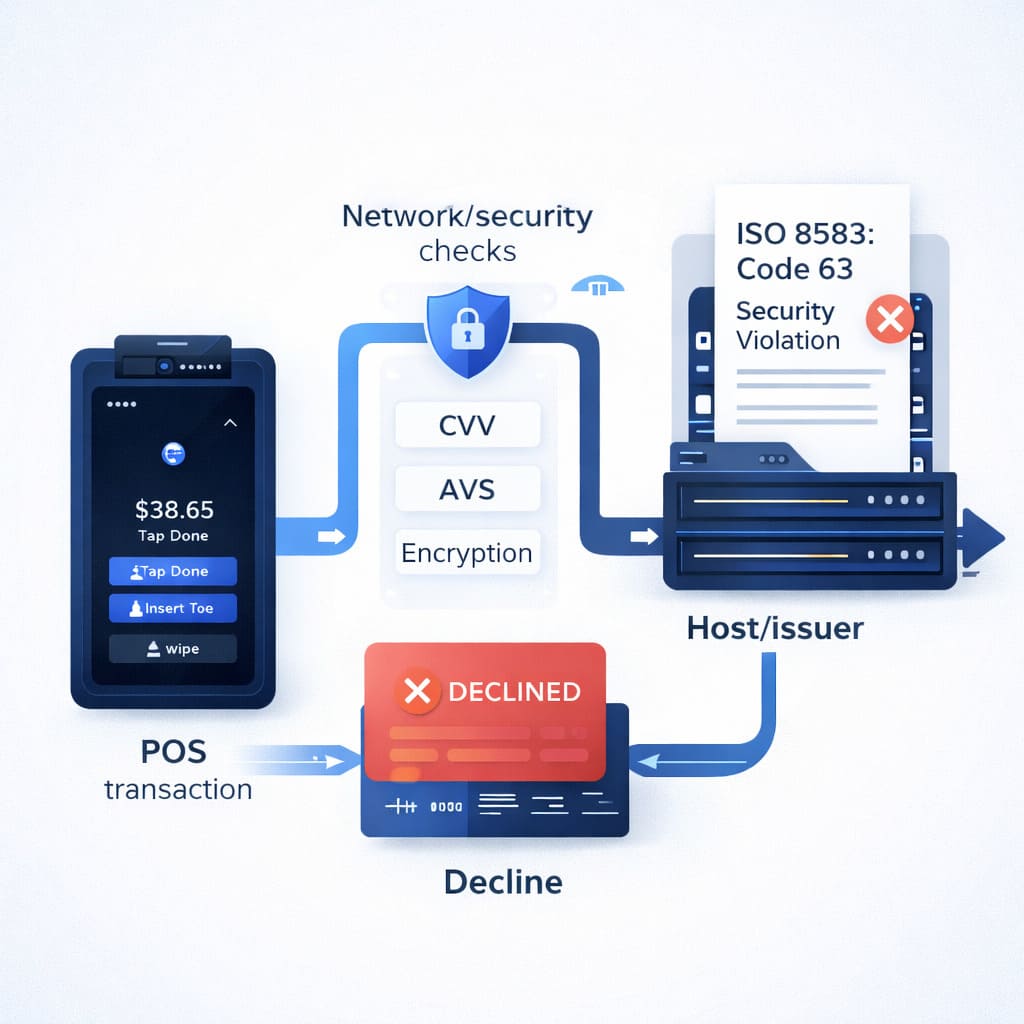
How to Handle Decline Code 51 (Insufficient Funds) at Your Restaurant
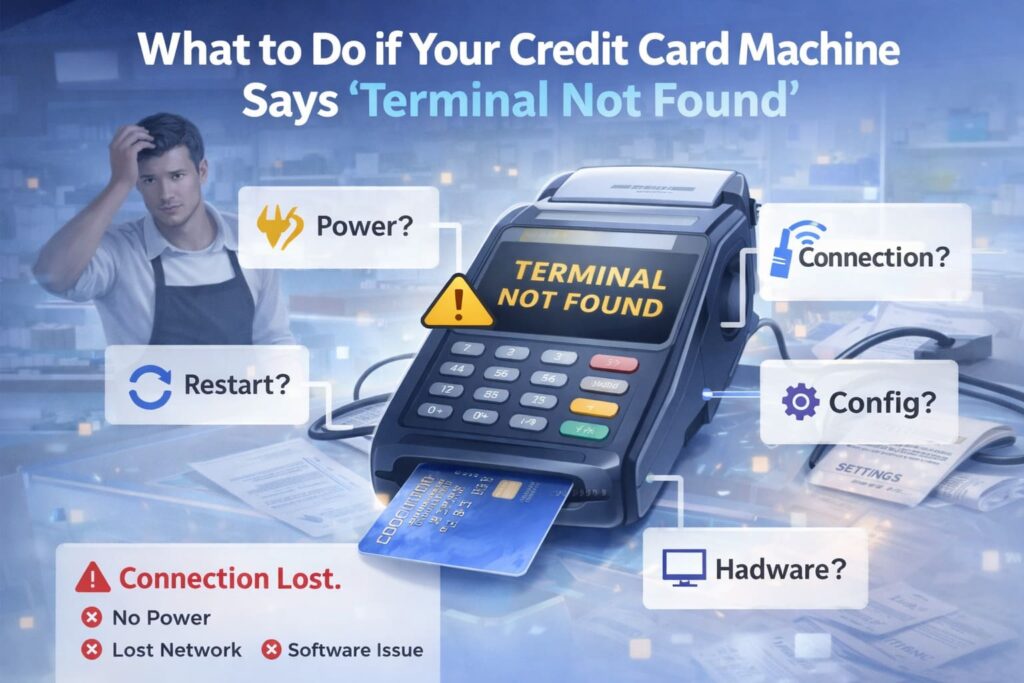
What to Do if Your Credit Card Machine Says “Terminal Not Found”
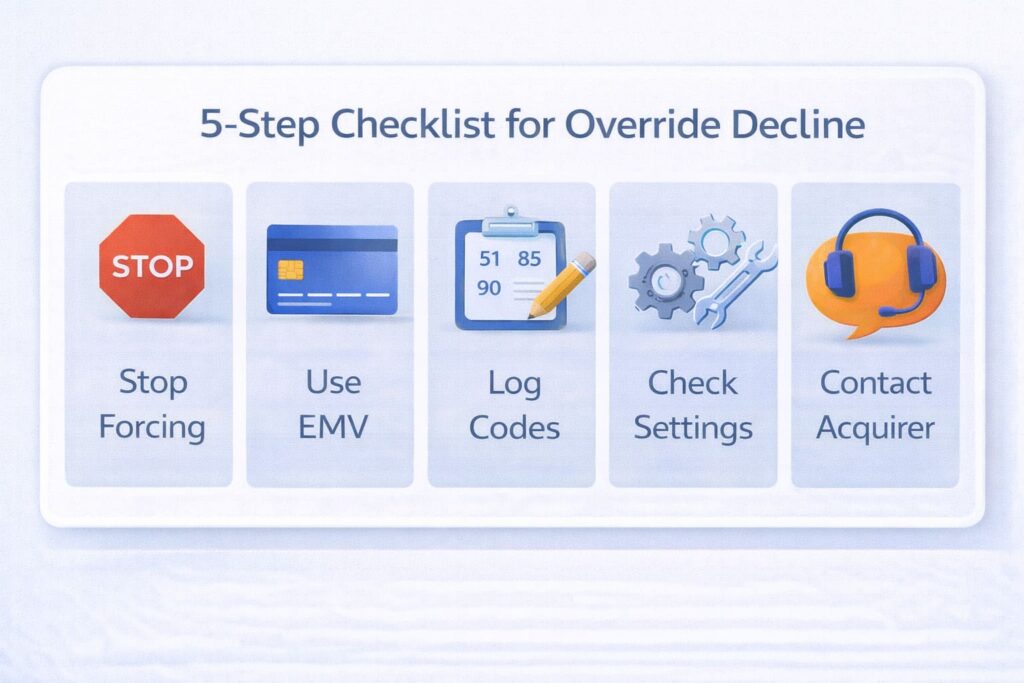
Merchant Override Decline: What It Means and How to Fix It
