

The Ultimate Directory of Credit Card Decline Codes for Merchants
This guide is for informational purposes and doesn't replace professional payment or financial advice.
"I've spent 12 years in fintech watching merchants lose thousands because they didn't decode a simple 51 or 05. These aren't just rejection codes—they're data. Read them right, fix the issue. Ignore them, bleed revenue." — **Max Artemenko, Founder & Chief Payment Systems Architect, Smart Payment Solutions"
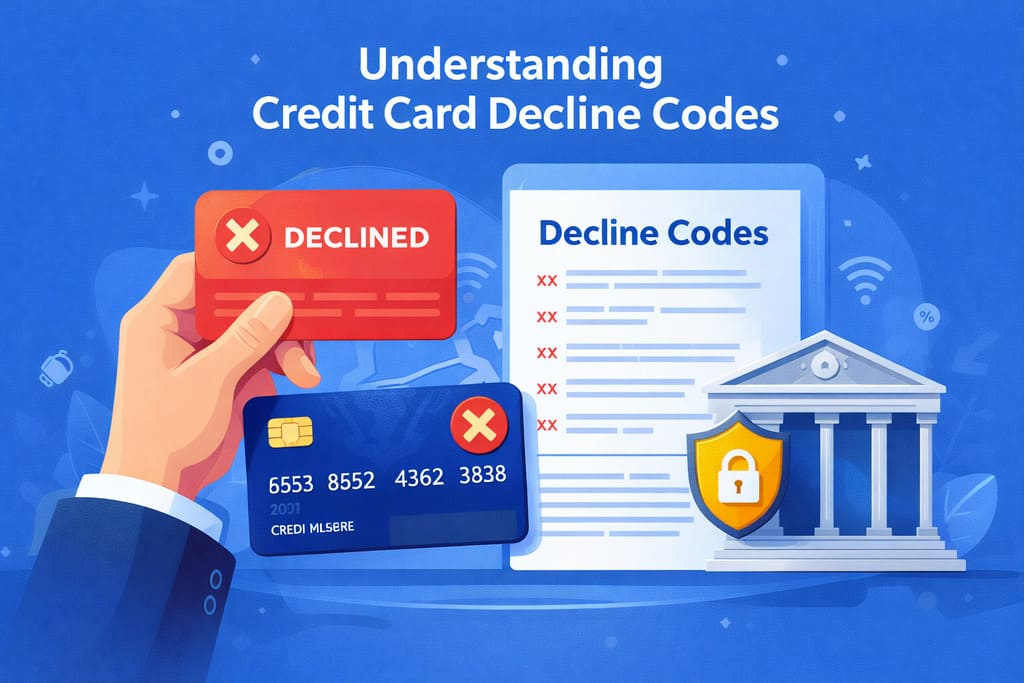
Decline codes are two- or three-digit alphanumeric codes returned by the issuing bank, processor, or payment network when a transaction fails. Each code pinpoints a specific reason: wrong card data, insufficient funds, fraud flags, or technical glitches. For the cardholder, it’s a signal the payment didn’t go through. For you, the merchant, it’s actionable intel—tells you whether to retry, switch methods, or move on.
Understanding these codes cuts losses. Payment processor data shows most declines are soft declines—fixable if you act smart. The rest are hard declines, where you need a different approach entirely.
Updated: January 2026.
How Does a Transaction Get Declined?
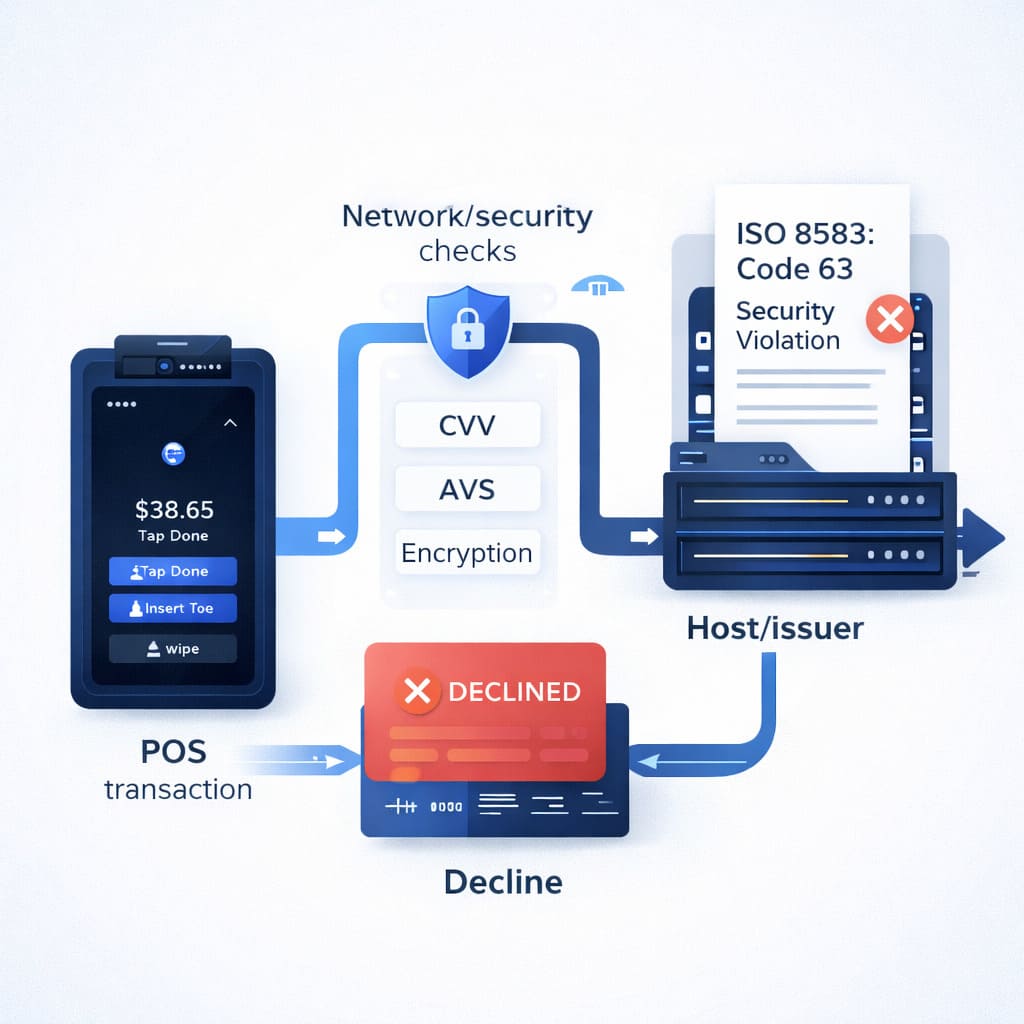
When a customer swipes, dips, or keys in card data, here’s what happens:
- POS/Gateway validates basics: card number format, expiration, CVV structure.
- Processor/gateway sends an authorization request through the network (Visa, Mastercard, etc.).
- Payment network routes the request to the issuing bank.
- Issuing bank checks: balance/limit, fraud history, card status, geographic restrictions.
- Response comes back through the network to your terminal with a result code (00 = approved, anything else = declined).
Decline can happen at any stage. Examples:
- Terminal level: invalid card number format.
- Processor level: MCC mismatch or operation type error.
- Network level: routing failure.
- Issuer level: insufficient funds, fraud suspicion, blocked card.
From the field: “When you see code 51 (insufficient funds) from the issuer, that’s a hard decline—retrying won’t help. But code 19 (re-enter transaction) from the processor? That’s soft. Retry in a few seconds and it often clears.” — payment integrators’ playbook.
Full Directory of Decline Codes: Quick Reference
Use Ctrl+F to search by code.
| Code | Official Name | Reason & Cardholder Action | Merchant Action |
|---|---|---|---|
| 01 / 02 | Refer to Issuer | Issuer needs clarification; contact bank for details. | Don’t auto-retry; ask customer to call issuer, offer alternate payment. |
| 04 / 07 | Pick Up Card (General / Special Condition) | Suspected lost or stolen; card may be blocked. Contact bank immediately. | Don’t process; retrieve card per Visa/Mastercard rules if safe; document incident. |
| 05 | Do Not Honor | Bank declines without specific reason (generic decline). Try later or contact bank. | Hard decline; don’t retry without changes; offer alternate method or ask customer to call bank. |
| 12 | Invalid Transaction | Format/operation type error; retry later or via different method. | Check terminal/gateway config: operation type, currency, MCC, access rights. |
| 13 | Invalid Amount | Amount is wrong (negative, zero, or out of limits). Verify input. | Validate amounts, range, symbols in payment form; add input masks. |
| 14 | Invalid Card Number | Card number failed Luhn check or is incorrect. Re-enter or use different card. | Enable Luhn validation, input masks, BIN hints; prompt re-entry. |
| 15 | No Such Issuer | Card BIN not recognized; bank not identified. Use different card. | Check BIN tables and routing; ensure reference data is current. |
| 19 | Re-enter Transaction | Temporary network or database glitch; safe to retry. | Soft decline; auto-retry after 2–5 seconds with backoff. |
| 28 | File Temporarily Unavailable | Bank/network temporarily down. Wait and retry. | Soft decline; monitor status, retry with exponential backoff (2, 4, 8 sec). |
| 41 | Lost Card, Pick Up | Card reported lost; do not honor. | Decline service; retrieve per network procedures if safe. |
| 43 | Stolen Card, Pick Up | Card reported stolen. Block immediately. | Decline; retrieve card if possible and safe; follow Visa/Mastercard procedures. |
| 51 | Insufficient Funds | Card balance or credit limit insufficient. Top up account or reduce amount. | Offer split payment, partial authorization, alternate card, or different method. |
| 54 | Expired Card | Card expiration date passed. Update card with bank. | Request update; for subscriptions use Account Updater service. |
| 58 | Transaction Not Permitted to Cardholder | Operation forbidden (card type/mode blocked by bank). | Check operation type, merchant category (MCC); offer alternate method. |
| 61 | Exceeds Withdrawal Limit | Daily/weekly transaction limit exceeded. Wait or reduce amount. | Offer split payment across multiple transactions; check limit rules. |
| 62 | Restricted Service / Geographic Restriction | Operation blocked geographically or by service type. | Check card’s service region; offer different method. |
| 63 | Security Violation | Security protocol breach (missing CVV, AVS, 3DS failure). | Re-check security parameters, require CVV, apply AVS/3DS. |
| 65 | Activity Limit Exceeded | Too many transactions in period. | Ask customer to contact bank or use different card; delay retry. |
| 82 | CVV2 Declined / Incorrect CVV | Security code (CVV/CVC2) is wrong. Re-enter code. | Require CVV re-entry; block retry until corrected; never store CVV. |
| 97 | Invalid CVV / Security Code | Security code incorrect or missing. | Check anti-fraud policy; request re-entry; apply 3D Secure. |
| R0 / R1 | Stop Recurring Payment | Customer stopped subscription at bank. | Immediately cease charges; check subscription status; comply with network requirements. |
| SF | Pick Up Card (Processor-specific) | Possible lost/stolen (variant of 04/07). | Follow retrieval rules; don’t process payment; document incident. |
Sources: Visa Core Rules and Product Service Rules (October 2024); Mastercard Chargeback Guide Merchant Edition (2025); ISO 8583 standards.
Most Common Codes: Deep Dive
Code 05: Do Not Honor — The Most Frequent Decline
Decline code 05 is a catch-all the issuing bank returns when internal rules won’t approve the transaction. Looks like a hard decline, but often it’s soft—fixable with the right move.
Likely reasons:
- Fraud suspicion (unusual amount, location, transaction type).
- Internal bank flags (new card, high-risk ML model score).
- Country/category restrictions for this cardholder.
- Blocked card or operation limits.
Cardholder action: Contact issuing bank, confirm the transaction. Often the bank lifts a temporary limit or greenlights a retry.
Merchant action:
- Don’t auto-retry multiple times (risks chargebacks).
- Ask customer to call bank.
- Offer alternate payment (different card, wallet).
- If one retry after 24 hours still returns 05, switch methods.
“Code 05 is a red flag. If you see it systematically for certain operation types, it might be your MCC config or geo-blocking. Check settings with your processor.”
— From payment integrators’ experience
Code 51: Insufficient Funds — Not Enough Money
Code 51 is clear: not enough money on the card or account.
- For debit card: current/savings account balance below transaction amount.
- For credit card: used credit + transaction amount exceeds limit.
This is soft in the sense that the reason is obvious and the customer can fix it (top up account). But retrying won’t help until they do.
Cardholder action:
- Check balance in bank app.
- Top up account/increase credit limit.
- Use different card with sufficient funds.
- Split payment if possible.
Merchant Action for Code 51:
- Clearly explain: “Your card has insufficient funds.”
- Offer to split the amount across multiple payments (if logical: e.g., installment billing).
- Suggest different card or payment method (bank portal, mobile app, cash).
- Don’t auto-retry—it only frustrates the customer and ties up funds for days.
In a restaurant chain project, we noticed code 51 spiked during peak hours (7–9 PM) when customers maxed out credit lines throughout the evening. Solution: offer to split the bill across multiple payments or bypass the limit via contactless payment (Apple Pay / Google Pay), which doesn’t hit the limit immediately. The restaurant client saw conversion lift.
Code 12: Invalid Transaction — Config or Data Error
Code 12 often signals merchant-side error, though it can look like a customer mistake.
Likely reasons:
- Wrong operation type (e.g., refund attempt without original capture).
- Terminal/gateway doesn’t support the mode (chip, contactless, online).
- Currency mismatch with terminal-allowed currency.
- MCC (Merchant Category Code) doesn’t support the operation.
- Merchant access rights restricted.
Cardholder action: Wait a few minutes and try again. If still 12, use different payment method or contact merchant.
Merchant action:
- Check POS config:
- What operation type is set (sale, auth+capture, refund)?
- What currency is configured?
- What MCC is on your merchant account?
- Check gateway/processor:
- Does the gateway support this card type (Visa/Mastercard/Amex)?
- Is it running in card-present/card-not-present mode?
- Retry operation with corrected parameters.
Code 12 often shows up in integrations where the merchant misconfigured the gateway API. Before going live, always run test transactions on real and virtual cards to catch these errors in sandbox.
Security Errors: CVV, SEC Violation, and Code 82
Security codes signal protocol breaches or checks that protect against fraud.
CVV/CVC2 — Security Code
CVV (Card Verification Value) or CVC2 (Card Verification Code 2) is a three- or four-digit code on the back of the card (or front for Amex). It’s the card’s “password,” generated by the issuing bank via encryption of the card number and expiration date.
Why it matters:
- Confirms the customer physically holds the card (for card-not-present transactions).
- Issuing bank verifies the code matches its record.
- Merchant must NEVER store CVV post-authorization (PCI DSS requirement).
Customer entered wrong CVV or it doesn’t match the bank’s record. Requires re-entry.
AVS (Address Verification Service)
AVS checks if the billing address matches the address registered with the issuing bank. Available in the US, Canada, and UK.
AVS results:
- Y (Yes): address and ZIP match — low risk.
- N (No): address doesn’t match — medium risk.
- U (Unavailable): bank doesn’t support AVS — usually foreign cards.
- G/S: international/no address — for overseas cards.
3D Secure (3DS)
3D Secure is two-factor authentication where the issuing bank requests an OTP or password from the customer in a separate window.
If 3DS fails, the transaction may return code 63 (Security Violation).
Code 63: Security Violation
This is a catch-all indicating breach of one or more security protocols:
- Missing CVV when required.
- AVS mismatch.
- 3D Secure failure.
- Other bank fraud filters.
Merchant action:
- Ensure you collect CVV and pass it in the authorization request.
- Enable AVS for card-not-present transactions.
- Apply 3D Secure for risky operations (high amounts, new customers, foreign cards).
- Verify your app/form correctly transmits security data.
Stats: Per payment network data, proper 3D Secure implementation reduces fraud declines but can increase friction for customers. Balance matters.
Serious Restrictions: Transaction Not Permitted and Pick Up Card Codes
Code 58: Transaction Not Permitted to Cardholder
This code means the operation is not allowed for this cardholder. The bank explicitly forbids this transaction for this card.
Likely reasons:
- Card type doesn’t support online payments (e.g., payroll card with restrictions).
- Merchant category (MCC) is blocked for the card.
- Country/geo-zone blocked.
- Card blocked for certain operation types.
Action:
- Merchant: offer customer different payment method or different card.
- Customer: contact bank to clarify restrictions.
This is a hard decline; retrying won’t help.
Codes 04, 07, 41, 43, SF: Pick Up Card
These codes signal serious threat: card is likely lost or stolen.
| Code | Meaning | Merchant Action |
|---|---|---|
| 04 | Pick Up Card (General) | If safe, ask customer to surrender card. Immediately call your processor. |
| 07 | Pick Up Card (Special Condition) | Same as 04, but heightened threat (fraud account). |
| 41 | Lost Card, Pick Up | Card reported lost. |
| 43 | Stolen Card, Pick Up | Card reported stolen. |
| SF | Pick Up Card (Processor-specific) | Variant of 04/07 from specific processor. |
Merchant procedure when receiving Pick Up Card:
- Don’t create conflict. Ask customer calmly, without accusations.
- Retrieve card if customer agrees and it’s safe. If customer refuses or there’s a threat, don’t insist.
- Call your processor/acquirer for instructions.
- Document date, time, customer name, last card digits, actions taken.
- Never accuse customer of theft or loss—it could be a system error.
Source: Visa Operating Guides; Mastercard Transaction Processing Rules (2025).
Soft Declines vs Hard Declines: Differences and Actions
| Parameter | Soft Decline | Hard Decline |
|---|---|---|
| Definition | Temporary decline; can be overcome with retry or data change. | Permanent decline; requires different card or payment method. |
| Example Codes | 19 (Re-enter), 28 (Temporarily Unavailable), 51 (Insufficient Funds). | 05 (Do Not Honor — in strict mode), 43 (Stolen Card), 82 (Incorrect CVV — after multiple attempts). |
| Retry Allowed? | Yes, with interval (2–5 sec, then 10–30 sec). | No. Repeated attempts → chargebacks. |
| Merchant Action | Auto or managed retry; optimize routing. | Offer alternate method; document. |
| Customer Action | Wait or retry; check balance. | Contact bank; use different card. |
Step-by-Step Merchant Actions on Decline
Checklist for Cashier / Operator
When You See a Decline — Follow This Process:
- Step 1: Get the Code — Look at terminal screen/gateway interface. Write down exact code.
- Step 2: Classify — Is this soft or hard decline? (use table above).
- Step 3: Inform Customer — Calmly and politely: “Unfortunately, the payment didn’t go through. Reason: [code]. What can we do?”
- Step 4: Offer Alternatives — Different card, cash, bank mobile app, installment/partial payment, retry later.
- Step 5: Retry (soft declines only) — If code 19 or 28, safe to retry after 2–5 seconds. Max 2–3 attempts.
- Step 6: Document — Date/time, decline code, amount, last 4 card digits, final resolution.
- Don’t blame customer. The bank declined, not you.
- Don’t say “declined”—say “payment not processed” or “requires different method.”
Gateway-Specific Error Codes
Stripe: Card Blocked — How to Interpret
Stripe returns errors in structured JSON with fields:
error.type— category (card_error, invalid_request_error, api_error).error.code— error code (card_declined, expired_card, incorrect_cvc).error.decline_code— reason code from issuer (do_not_honor, insufficient_funds, etc.).error.message— description for customer.
Stripe mapping examples → standard codes:
| Stripe error.code | Stripe decline_code | Visa/Mastercard Equivalent | Action |
|---|---|---|---|
| card_declined | do_not_honor | 05 | Hard decline; offer different card. |
| expired_card | — | 54 | Hard decline; update card. |
| incorrect_cvc | — | 82 / 97 | Hard decline after 3 attempts. |
| insufficient_funds | insufficient_funds | 51 | Soft/Hard; offer to top up account. |
| processing_error | — | 19 / 28 | Soft decline; retry after 2–5 sec. |
Link to docs: Stripe API Reference (2025); Stripe Decline Codes (2025).
Adyen: refusalReason and refusalCode
Adyen returns:
refusalReason— human-readable reason (e.g., “Not enough balance”).refusalCode— two-digit code from issuer (e.g., “51”).refusalCodeRaw— exact issuer code from ISO 8583.
Examples:
| Adyen refusalReason | refusalCodeRaw | Standard Code | Action |
|---|---|---|---|
| Not enough balance | 51 | 51 | Soft decline; retry or alternate. |
| Do not honor | 05 | 05 | Hard decline; different card. |
| Authorisation Expired | 99 | 99 | Hard decline; update card. |
| Invalid Card | 14 | 14 | Hard decline; verify number. |
Link: Adyen API Documentation (2025); Adyen Refusal Codes.
Authorize.net: Response Code and Reason Code
Authorize.net uses:
responseCode— overall status (1 = approved, 2 = declined, 3 = error, 4 = held).reasonCode— decline reason (two-digit code).
Examples:
| Authorize.net reasonCode | Meaning | Standard Code |
|---|---|---|
| 02 | Bank Declined Request | 05 / generic |
| 13 | Merchant does not accept this card type | 58 |
| 28 | The amount requested for settlement is greater than the amount originally authorized | 12 / invalid |
| 65 | Transaction has been rejected | 05 / hard |
Link: Authorize.Net API Reference (2025).
Technical Side: ISO 8583 Standard for Developers
What Is ISO 8583 and Why It Matters
ISO 8583 is the international standard for card-originated transaction message formats (purchases, withdrawals, refunds). Defined by the International Organization for Standardization (ISO).
Virtually all payment networks (Visa, Mastercard, Amex, local systems) use ISO 8583 or its variants for communication between POS/ATM → processor → acquirer → network → issuer.
ISO 8583 Message Structure
[Optional Header] + [MTI: 4 digits] + [Bitmap(s)] + [Data Elements] MTI (Message Type Indicator) — 4 digits:
- First: version (0 = 1987, 1 = 1993, 2 = 2003).
- Second: class (1 = authorization, 2 = financial, 3 = file actions, 4 = reversal, 5 = reconciliation, 6 = administrative, 7 = fee collection, 8 = network management).
- Third: function (0 = request, 1 = response, 2 = advice, 3 = advice response).
- Fourth: origin (0 = acquirer, 1 = issuer).
Examples:
0100— Authorization request from acquirer.0110— Authorization response from issuer.0420— Reversal request from acquirer.
Bitmap(s) — bit masks indicating which of 192 data elements are present in the message.
Data Elements (DE) — the actual data: card number, amount, date, response code, etc.
Key Data Elements (DE)
| DE | Name | Size | Example / Purpose |
|---|---|---|---|
| 2 | Primary Account Number (PAN) | 19 | Card number: 4532123456789010 |
| 3 | Processing Code | 6 | Operation type: 000000 (purchase), 200000 (refund). |
| 4 | Amount, Transaction | 12 | Amount in cents: 000000001050 = $10.50. |
| 7 | Transmission Date & Time | 10 | MMDDHHMMSS: 0115120530 = Jan 1, 12:05:30. |
| 11 | Systems Trace Audit Number (STAN) | 6 | Unique tracking number: 000001. |
| 39 | Response Code | 2 / 3* | Authorization result: 00 (approved), 05 (do not honor), 51 (insufficient funds). |
| 42 | Merchant ID | 15 | Merchant ID: 123456789012345. |
| 49 | Currency Code | 3 | ISO 4217: 840 (USD), 978 (EUR). |
| 52 | PIN Data | Variable | Encrypted PIN. |
*In ISO 1987 — 2 digits, in ISO 1993/2003 — sometimes 3.
DE 39: Response Code — Main Status Indicator
DE 39 in response messages (MTI 0110, 0120, etc.) contains the two- or three-digit response code from the issuer. This is the element merchants parse to determine if the transaction went through.
Example Raw ISO 8583 (authorization request)
 [Header: 4 bytes length]
0100                           // MTI: authorization request
7A08C00000000000              // Bitmap: elements 2,3,4,7,11,39,42,49
4532123456789010              // DE 2: PAN
000000                         // DE 3: Processing code (purchase)
000000001050                   // DE 4: Amount ($10.50)
0115120530                     // DE 7: Date & time
000001                         // DE 11: STAN
123456789012345                // DE 42: Merchant ID
840                            // DE 49: Currency (USD)
After issuer processing, response returns with DE 39 = “00” (approved) or “05” (declined).
Source: ISO 8583:2003 standard; VISA ISO 8583 Implementation Guide; Mastercard ISO 8583 Message Format Documentation.
Grouping Codes by Root Causes
Category 1: Customer Data Entry Errors
These declines occur when the customer entered wrong data or the card is physically damaged.
Codes: 13, 14, 82, 97.
| Code | Reason | How to Avoid |
|---|---|---|
| 13 | Invalid Amount | Validate amounts (≥ 0.01, ≤ card limit). Add input masks. |
| 14 | Invalid Card Number | Luhn check on number. BIN hint for entry. |
| 82 | Incorrect CVV | Require re-entry; don’t store CVV. |
| 97 | Invalid CVV (generic) | Same as 82; apply 3DS. |
Merchant action:
- Immediately tell customer what’s wrong (number, amount, code).
- Offer to correct and retry.
- After 3 failed attempts → alternate method.
Category 2: Insufficient Funds and Limits
Customer can’t process payment due to lack of money or hitting limits.
Codes: 51, 61, 65.
| Code | Reason | How to Help |
|---|---|---|
| 51 | Insufficient Funds | Split payment, offer different card. |
| 61 | Exceeds Withdrawal Limit | Reduce amount, retry later. |
| 65 | Activity Limit Exceeded | Wait, use different card. |
Merchant action:
- Explain it’s a card/account limit, not merchant’s.
- Offer to top up account if possible.
- Save payment info for later retry (if customer wants).
Category 3: Security and Fraud
System detected suspicious activity or protocol breach.
Codes: 05, 04, 07, 41, 43, 63.
| Code | Reason | Action |
|---|---|---|
| 05 | Do Not Honor (generic fraud suspicion) | Ask customer to contact bank. |
| 04 / 07 | Pick Up Card | Retrieve card (if safe); call processor. |
| 41 / 43 | Lost / Stolen Card | Decline; follow network procedures. |
| 63 | Security Violation (AVS/CVV/3DS fail) | Re-check security data. |
Merchant action:
- Never take actions that could create conflict.
- Politely explain.
- Offer alternate payment method.
- Document incident.
Category 4: Technical Failures
Network / bank temporarily unavailable or format error detected.
Codes: 19, 28, 12, 15.
| Code | Reason | Action |
|---|---|---|
| 19 | Re-enter Transaction | Soft retry after 2–5 sec. |
| 28 | File Temporarily Unavailable | Retry with exponential backoff. |
| 12 | Invalid Transaction (format error) | Check terminal / gateway config. |
| 15 | No Such Issuer (BIN unknown) | Check routing; update BIN tables. |
Merchant action:
- Safe to auto-retry (2–3 attempts).
- Monitor network/processor status.
- If frequent → contact tech support.
Proactive Strategies to Reduce Declines
Every decline is lost revenue. Here’s what works in practice.
1. Mandatory Security: AVS, CVV, 3D Secure
AVS (Address Verification Service):
- Require ZIP code + address for card-not-present.
- Decline only if AVS = N (full mismatch). Codes U, G, S are acceptable (foreign cards).
CVV:
- Always collect and pass in authorization.
- Never store post-authorization.
- Require re-entry on mismatch (don’t save from browser cache).
3D Secure 2.0:
- Enable for risky scenarios: high amounts (>$500), new customers, foreign cards.
2. Network Tokenization and Account Updater
Network Tokenization:
- For recurring/subscription payments use Network Token instead of storing card number.
- Token auto-updates when card is reissued.
- Result: improved subscription metrics.
- Service that receives card updates from issuer.
- Auto-updates expired cards (code 54).
- Available from most processors (Stripe, Adyen, Authorize.net).
3. Smart Routing and Multi-Processing
Dynamic Routing:
- Send same payment to different processors / acquirers simultaneously.
- Pick fastest successful result.
- Reduces hard declines (some acquirers may approve what others declined).
Multi-processor fallback:
- Primary processor declined? Switch to Secondary processor after 1–2 sec.
- Requires setup, but it works.
4. Payment Form UX Optimization
Masks and hints:
- Auto-format card number (spaces every 4 digits).
- Auto-detect issuer (Visa vs Mastercard) by BIN.
- CVV entry hint (back of card).
Real-time validation:
- Luhn check immediately on number entry.
- Expiration date check (don’t allow expired dates).
5. Decline Monitoring and Analysis
Collect data:
- Decline code, gateway, hours, days of week, amounts, countries.
Look for patterns:
- If 30% declines are code 05 from one processor, contact them.
- If spikes in codes 19, 28 at certain times, monitor network downtime.
Act:
- Switch routing on systematic declines.
- Update terminal configs.
Field tip: “I recommend monthly decline audits. Even in successful payment systems, 15–20% losses come from wrong config or lack of proper retry logic. Spend 2 hours on analytics—save $5–10K/month by lowering decline rate.”
Related Resources and Primary Sources
- Visa Developer Resources — official authorization response and decline handling specs (2025).
- Mastercard Developer Center — reason codes and response codes documentation (2025).
- Stripe Error Handling Documentation — complete Stripe codes reference and mappings (2025).
- Adyen API Documentation — refusal codes and handling best practices (2025).
- Authorize.Net API Reference — reason codes and integration (2025).
- PCI DSS Compliance Guide — payment processing security requirements.
- ISO 8583:2003 Standard — official standard.
Internal Navigation Across Payment Cluster
This article is the central hub for decline codes. Related materials:
- Complete guide to payment form optimization — reducing declines through UX.
- Network Tokenization and Account Updater: how they work — for recurring payments.
- 3D Secure 2.0: implementation and setup — technical guide.
- Chargebacks and dispute management — how to avoid returns.
- Multi-processor routing and failover — architecture for reliability.
Summary: Merchant Checklist for Managing Decline Codes
When you see a decline — use this checklist:
- ✅ Recorded exact code (not “error,” but specific number).
- ✅ Classified: soft or hard decline?
- ✅ Informed customer calmly and politely.
- ✅ Offered 2–3 alternatives (different card, cash, different method).
- ✅ For soft declines: retried no more than 2 times with 2–5 sec interval.
- ✅ Documented (code, date, time, final result).
- ✅ On systematic errors: contacted processor.
Monthly:
- 📊 Collected and analyzed decline data.
- 📊 Looked for patterns (code, hour, day, amount).
- 📊 Adjusted config / routing.

What do our customers think about us
Frequently Asked Questions

Other Articles
What Does “SEC Violation” Mean on Your Credit Card Terminal?
How to Handle Decline Code 51 (Insufficient Funds) at Your Restaurant
Code 05 “Do Not Honor”: What It Means and What Merchants and Customers Should Do
