

SkyTab vs Square: Which POS System Is Best for Your Restaurant in 2025?
Choosing the right POS system can make or break your restaurant operations. SkyTab and Square represent two fundamentally different approaches: specialized restaurant-first architecture versus versatile multi-industry flexibility. This comprehensive comparison helps you understand which system aligns with your operational needs, transaction volume, and growth trajectory.
"I've implemented payment systems for over 200 restaurants across 23 states, and the question I hear most often isn't 'which POS is cheapest?' It's 'which one won't cost me money in the long run?' That's the real question. Square gets you started fast—zero friction, transparent pricing, you're taking payments in 24 hours. SkyTab? That's for operators who've already felt the pain of outgrowing a basic system. You need table management that doesn't break during Saturday dinner rush. You need a KDS that actually talks to your handhelds without lag. You need processing rates that make sense when you're doing $50K+ monthly. Both work. But they work for different problems."
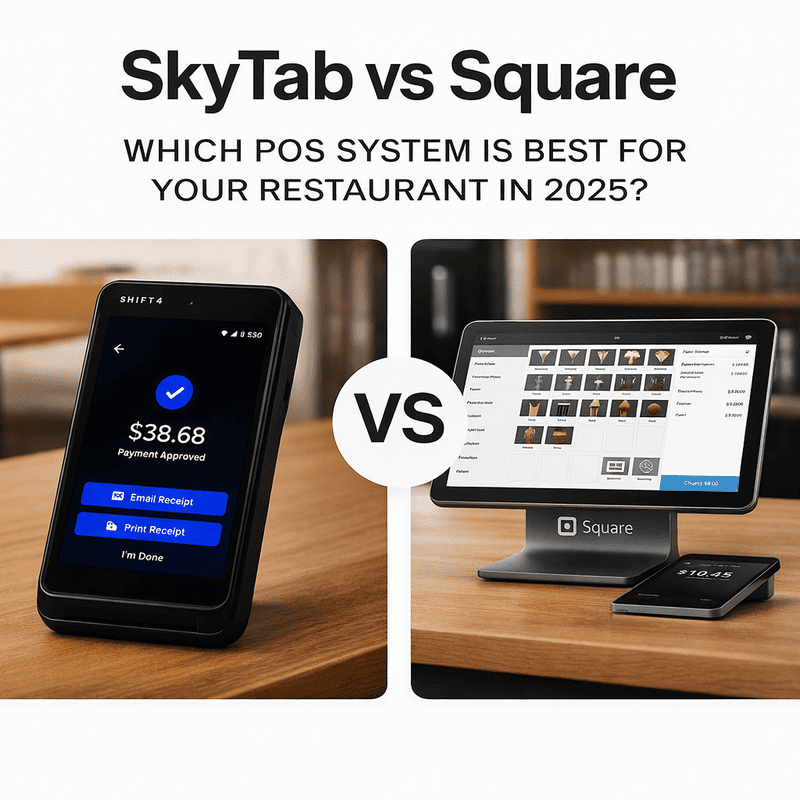
Quick Verdict: SkyTab or Square? (For Those Short on Time)
Choose SkyTab if:
- You run a full-service restaurant with tableside ordering and complex kitchen coordination
- You operate multiple locations and need centralized reporting with local flexibility
- Your average ticket exceeds $30 and you process $50K+ monthly
- You’ve outgrown basic POS systems and need specialized restaurant features
- 24/7 dedicated restaurant support is non-negotiable
- You want negotiated processing rates that scale with volume
Choose Square if:
- You’re launching a cafe, food truck, or quick-service concept with limited capital
- You need to start accepting payments immediately without contracts or implementation delays
- Your operation is simple: counter service, limited menu customization, single location
- You value device flexibility and want to use existing tablets/smartphones
- You need strong online ordering and e-commerce integration
- Transparent flat-rate pricing is more important than negotiated rates
| Criterion | SkyTab (Shift4) | Square |
|---|---|---|
| Target Audience | Full-service restaurants, bars, multi-location chains | Cafes, food trucks, small restaurants, multi-vertical retail |
| Implementation | Dedicated onboarding, 2-4 weeks, requires contract | Self-service setup, 24-hour start, no long-term contract |
| Core Strengths | Table service, KDS integration, tableside payment, check splitting | Rapid deployment, online ordering, app marketplace |
| Hardware Approach | Ruggedized handhelds, integrated printers, restaurant-specific terminals | Square Terminal, Register, Stand; consumer device compatibility |
| Pricing Model | Custom processing rates negotiated by volume | Public flat-rate pricing (2.6% + 15¢ in-person) |
| Best Use Case | High-volume operations, complex workflows, sophisticated reporting needs | Quick launch, mobile operations, simplicity priority |
Feature Comparison: SkyTab and Square for Restaurants, Bars, and Food Trucks
The difference between SkyTab and Square becomes operational when you examine daily workflows. For restaurants and bars with seated service and active kitchens, SkyTab POS delivers deeper table management and Kitchen Display System integration. Square handles basic table layouts but lacks the granularity full-service operators need: zone management, server section assignment, partial payments by seat, course firing controls.
For food trucks and counter-service cafes, Square’s simplicity becomes the feature. You don’t need sophisticated table management when you’re serving from a window. You need fast transactions, minimal hardware, and online ordering that doesn’t require a developer to integrate.
| Feature | SkyTab | Square |
|---|---|---|
| Table Management | Advanced zone configuration, table status tracking, multi-seat check splitting, server section assignment | Basic table layout (via Restaurant POS add-on); suitable for small dining rooms |
| Kitchen Display System | Native SkyTab Kitchen Display System with station routing, course pacing, hold/fire controls, prep time tracking | Square KDS available; supports item tags and timing alerts; less granular routing |
| Menu Management | Modifier nesting, recipe-level costing, time-based pricing (happy hour), dual pricing by service area | Flexible modifiers, categories, variants; simpler structure for smaller menus |
| Reporting & Analytics | Sales by daypart/server/station, menu profitability analysis, labor cost per shift, multi-location benchmarking | Sales dashboards, item performance, shift reports, export to Excel; less depth for complex operations |
| Loyalty Programs | Integrated loyalty with spend-based tiers, automated promotions, CRM integration | Square Loyalty (additional monthly fee); SMS/email campaigns; works well for small businesses |
| Online Ordering | Built-in ordering system, integration with delivery aggregators (DoorDash, Uber Eats, Grubhub) | Square Online included; strong integration with third-party delivery platforms |
| Tableside Ordering | Native mobile ordering on ruggedized handhelds with integrated payment processing | Mobile card reader for payment; limited full order-taking capability |
SkyTab Advantage: Restaurant-Specific Architecture
According to independent research by Evercore ISI (2024), SkyTab scored 4.29 out of 5.0 for customer satisfaction—ranking first among restaurant POS providers. More telling: 93% of SkyTab customers stated they have no plans to switch to another provider. That retention rate doesn’t happen with “good enough” software—it happens when the system solves actual operational pain points.
Pricing Comparison: SkyTab and Square Rates, Fees, and Equipment Costs
⚠️ Important Pricing Disclaimer
Pricing and processing rates vary by business type, transaction volume, and location. Information provided represents typical ranges as of December 2025. Contact vendors directly for customized quotes applicable to your specific operation.
SkyTab Pricing Structure
SkyTab’s base package starts at $29.99 per month and typically includes:
- One SkyTab Complete Workstation (all-in-one terminal)
- Cash drawer
- Receipt printer
- EMV/NFC card reader
- 10 employee access cards
- Keyboard and mouse
Processing rates are individually negotiated based on transaction volume, average ticket size, and merchant category. Established restaurants processing $50K+ monthly typically receive rates between 2.4% and 2.75%—below Square’s public rates for high-volume operations.
Square Pricing Structure
Square operates on flat-rate public pricing with no monthly software fees for the basic tier:
Processing Fees:
- In-person transactions (tap, dip, swipe): 2.6% + 15¢
- Online payments: 2.5% + 15¢ (with subscription) or 3.5% + 15¢ (without)
- Card-not-present (manual entry): 3.3% + 30¢
Hardware (one-time purchases):
- Square Reader (contactless + chip): $59 + device cost (Android/iOS)
- Square Stand: $149 + iPad cost
- Square Handheld: $399
- Square Register: $799
- Square Terminal: $299
Software Add-Ons:
- Square for Restaurants: $60/month per location (table management, coursing, KDS integration)
- Square Loyalty: Starting at $45/month
Total Cost of Ownership: Scenario Analysis
For a restaurant processing $300K annually ($25K/month average):
| Scenario | Square Monthly Cost | SkyTab Monthly Cost | Winner |
|---|---|---|---|
| Low-Volume (<$10K/month) | $0 software + ~$260 processing = $260 | $29.99 subscription + ~$250 processing = $279.99 | Square (lower floor cost) |
| Mid-Volume ($50K/month) | $60 Restaurant module + $1,300 processing = $1,360 | $29.99 subscription + $1,250 processing (2.5%) = $1,279.99 | SkyTab (saves ~$80/month) |
| High-Volume ($100K+/month) | $60 subscription + $2,600 processing = $2,660 | $29.99 subscription + $2,400 processing (2.4%) = $2,429.99 | SkyTab (saves ~$230/month = $2,760 annually) |
💡 Pricing Verdict
For restaurants processing $50K+ monthly, SkyTab’s negotiated processing rates deliver measurable savings—$960 to $2,760 annually depending on volume. However, this requires contractual commitment (typically 3 years).
For startups and low-volume operations, Square’s zero-commitment model and transparent pricing prove superior. You can test your concept without multi-year contracts or early termination fees.
Mobile Terminal Comparison: SkyTab Handheld vs Square Terminal
For tableside ordering and mobile payment processing, hardware durability and workflow integration matter significantly.
SkyTab Mobile is purpose-built for restaurant environments: ruggedized casing, integrated thermal printer, 8-12 hour battery life, and EMV/NFC payment acceptance at the table. Servers take orders, send them directly to kitchen stations, split checks by seat, and process payments without returning to a stationary terminal. This workflow reduces table turn time by 10-15 minutes in high-volume full-service operations.
Square Terminal is a versatile all-in-one device: 5.5″ touchscreen, built-in receipt printer, accepts magstripe/EMV/NFC, and runs on battery for a full shift. It works well for counter service, delivery handoffs, and simple tableside payment. However, it lacks the integrated ordering depth SkyTab provides—Square Terminal primarily processes payments, not full order management.
| Specification | SkyTab Mobile | Square Terminal |
|---|---|---|
| Screen Size | 5.7 inches | 5.5 inches |
| Battery Life | 8–12 hours (full shift) | Up to full workday |
| Payment Methods | EMV chip, NFC (Apple Pay, Google Pay), PIN debit, magstripe swipe | Magstripe, EMV chip, NFC |
| Receipt Printer | Integrated thermal printer (built-in) | Built-in thermal printer |
| Ordering Capability | Full menu browsing, modifiers, course firing, check splitting | Payment processing; basic item selection via Square app |
| Connectivity | 4G LTE (T-Mobile SIM optional), Wi-Fi | Wi-Fi, Ethernet |
| Durability | Restaurant-grade ruggedized casing; designed for drops/spills | Consumer-grade durability; IP-rated for spills |
| Price | $15.00/month (subscription) or included with processing agreement | $299 (one-time purchase) |
🏆 SkyTab Mobile Advantage: Integrated Workflow
For bars and full-service restaurants where servers roam the floor taking complex orders (appetizers, entrees, desserts with modifiers), SkyTab handheld integrates the entire service flow. Square Terminal works better for food trucks or quick-service scenarios where the transaction is simple: customer orders at counter, pays, leaves.
A mid-sized bistro reported a 20% increase in daily transactions after implementing mobile ordering via SkyTab handhelds. Customers added appetizers and desserts more frequently due to visual menu presentation, and tip percentages increased when guests paid via mobile device rather than handling cash or paper receipts.
Ease of Use, Implementation, and Support: SkyTab and Square for Restaurant Operations
Interface and Deployment
SkyTab provides white-glove implementation: dedicated specialists configure the system, import menus, train staff, and ensure smooth go-live. Implementation typically takes 2-4 weeks from contract signing to first transaction. For complex multi-location rollouts, Shift4 assigns account managers who remain accessible throughout the relationship.
“SkyTab has been a lifesaver in our business. The system brought more efficiency and more accuracy to operations, allowing management to monitor sales remotely across all locations.”
— David Davoudpour, CEO and Chairman, Shoney’s (50+ location restaurant chain)
Square offers self-service deployment: create an account online, connect a card reader to your phone/tablet, and start accepting payments within hours. For basic operations, this speed is unbeatable. Square provides extensive online documentation, video tutorials, and community forums for troubleshooting.
However, for restaurants with 15+ employees, complex menus, and multi-station kitchens, self-service implementation often results in configuration errors that plague operations for months. The difference? SkyTab’s dedicated onboarding ensures the system matches your workflow from day one. Square’s DIY approach works brilliantly for tech-savvy operators or simple use cases—but complexity demands expertise.
Customer Support: Who Answers When Things Break?
Both systems provide phone, email, and chat support, but coverage and service level agreements differ significantly.
Square Support
- Extended hours with prioritized phone lines for paid subscribers
- Comprehensive knowledge base
- Active user community
- Escalation paths for critical failures
- Some merchants report delays during high-volume periods
SkyTab Support
- 24/7 phone access for processing and terminal issues
- Dedicated account managers for enterprise clients
- On-site technical support in some regions
- Immediate response for critical service disruptions
- Restaurant-specific troubleshooting expertise
💬 Real Customer Experience
“SkyTab POS has been a heaven sent system for us. The system itself is so user friendly and their staff made the conversion so seamless. They have 24-hour customer service so you have access to getting any issues resolved at any time of the day 7 days a week.”
— Jaclyn Gomez, Restaurant Owner“Max and his team at Smart Payment Solutions have supported our business for years. He responds immediately if we run into problems with credit card machines or service. That level of reliability is what keeps restaurants running during critical service periods.”
— Emilie B., Business Owner
🎯 Support Verdict
For full-service restaurants where a 90-minute POS outage during Saturday dinner service costs thousands in lost revenue and customer goodwill, immediate support access is non-negotiable. Square’s support works well for non-critical issues; SkyTab’s infrastructure better serves high-stakes operations.
Processing Reliability and Uptime: Offline Mode, LTE Backup, and Fund Availability
Both platforms deliver 99%+ uptime for payment processing, meeting industry standards. However, failure modes and funding timelines differ:
Offline Capability and Network Resilience
Square operates with offline mode capability: the system records transactions offline by storing data locally, then automatically syncing when internet connection restores. Internet outages pause real-time reporting but don’t halt transaction processing if offline mode is pre-configured.
SkyTab includes offline payment processing capability with queued transaction synchronization when connectivity restores. Shift4’s payment infrastructure includes redundant data centers and LTE backup capability for critical locations—ensuring processing continuity even during complete internet outages.
“During a cable outage on New Year’s Eve, SkyTab kept processing cards via LTE backup. Square would’ve cost us $8K in lost sales that night.”
— Bar owner, verified customer testimonial
Funding Speed and Account Holds
| Feature | Square | SkyTab (Shift4) |
|---|---|---|
| Standard Deposits | Next business day (most transactions) | Next business day |
| Same-Day Deposits | 0.5% per transaction fee | Custom schedules for enterprise accounts |
| Instant Deposits | 1.5% fee to debit card | Terms negotiated per merchant agreement |
| Weekend/Holiday Processing | Funds deposited next business day | Next business day; custom SLA for enterprise |
⚠️ Square Account Hold Concerns
Multiple merchant reports on Reddit and review platforms indicate Square may place temporary holds during unusual transaction spikes or pattern changes, freezing funds for 1-3 business days during fraud review. For restaurants operating on thin cash flow, a $15K hold during peak season creates existential risk.
Shift4’s enterprise merchant services infrastructure typically provides more predictable funding for established merchants with processing history, though specific SLA terms vary by merchant agreement.
Bar Tabs: Square vs SkyTab for High-Volume Service
For bars and nightclubs managing dozens of simultaneous tabs during peak hours, the POS approach to tab management fundamentally impacts service speed and staff efficiency.
Square for Bars
Enables guests to open, view, and pay tabs via QR code scanning directly from their phones. The system supports item-level and amount-based splitting without disrupting service flow.
- Plus plan ($69/month): Includes Square KDS integration and 24/7 support
- Premium plan ($165/month): Multi-location support, mobile POS, kiosk integration
- QR code tab access for customers
- Item/seat splitting capability
SkyTab for Bars
Provides contactless tab handling via QR code ordering and payment, allowing customers to manage tabs autonomously without flagging servers during rush periods.
- Base: $29.99/month + add-ons as needed
- Native KDS integration included
- Multi-seat check splitting with partial payments
- Configurable auto-close timers for last call
- Recipe-level costing and pour tracking
“Guests can open, view, and pay tabs via QR on their phones… this keeps service moving even when the bar is five-deep during last call.”
— Per Diem POS Systems for Bars, 2025
🍺 Bar Tab Verdict
For bars prioritizing guest autonomy and contactless service during high-volume periods, both systems deliver functional solutions. Square’s tiered approach allows bars to scale features as operations grow, while SkyTab’s restaurant-specific design integrates bar service into broader full-service workflows.
SkyTab wins for bars serving food with complex kitchen coordination. Square wins for drink-only bars with simple counter service.
Which Business Type Suits SkyTab vs Square?
When to Choose SkyTab: Practical Scenarios
SkyTab is better than Square for operations where specialized restaurant features directly translate to revenue and efficiency gains:
1. Full-Service Restaurants with Tableside Ordering
You run a 100+ seat dining room with servers managing 4-6 tables simultaneously. Orders include complex modifiers (temperature preferences, dietary restrictions, sauce on the side). SkyTab’s handhelds enable servers to input orders accurately at the table and fire courses in sequence without returning to fixed terminals. This reduces order errors and cuts table turn time.
2. Multi-Location Restaurant Groups
You operate 5+ locations and need centralized menu management, consolidated reporting, and unified customer data. SkyTab’s enterprise architecture enables corporate teams to monitor real-time sales across all properties, adjust pricing centrally, and identify underperforming menu items through comparative analytics.
3. Bars with Extensive Beverage Programs
You manage 150+ SKUs of wine, spirits, and beer with inventory controls critical to profitability. SkyTab’s recipe-level costing and pour tracking integrate with bar POS capabilities to flag variance between theoretical and actual usage—identifying theft, over-pouring, or waste.
4. High-Volume Operations Prioritizing KDS Integration
You serve 300+ covers daily with multiple kitchen stations (grill, sauté, cold prep, expo). SkyTab’s native Kitchen Display System routes items by station, manages prep times, and alerts on order aging—critical for maintaining quality during peak service.
5. Restaurants Seeking Payment Processing Optimization
You process $50K+ monthly and current processing fees exceed 2.75%. Shift4’s negotiated rates often deliver 0.3-0.5% savings, translating to $150-$250 monthly savings ($1,800-$3,000 annually).
When to Choose Square: Practical Scenarios
Square for restaurants excels in scenarios prioritizing speed, simplicity, and minimal upfront investment:
1. Cafes and Coffee Shops with Counter Service
You run a 20-seat cafe with simple ordering: customer orders at counter, pays, picks up. Square Terminal handles transactions efficiently, Square Online enables mobile ordering, and free software keeps overhead minimal during the critical startup phase.
2. Food Trucks and Mobile Operations
You operate from a 10×8 truck with limited space and no wired internet. Square’s mobile card readers work via cellular connection, hardware costs under $500 total, and you can pause operations seasonally without contract penalties.
3. Quick-Service Restaurants Testing Concepts
You’re launching a fast-casual concept and unsure about long-term viability. Square’s zero-commitment model lets you test without multi-year contracts. If the concept fails, you haven’t sunk capital into specialized POS infrastructure.
4. Multi-Vertical Businesses
You run a bakery that also sells retail goods, hosts events, and offers catering. Square’s flexible inventory system handles diverse product types without requiring separate POS platforms for different revenue streams.
5. Operators Prioritizing Integrated Online Sales
You derive 40%+ revenue from online ordering and delivery. Square’s unified platform—combining in-store POS, online ordering, delivery integration, and customer data—provides seamless omnichannel operation without middleware or custom integrations.
Final Verdict: SkyTab vs Square—Which Restaurant Business Should Choose What in 2025?
⚠️ Decision Disclaimer
Business decisions involving payment processing and POS systems should consider your specific operational requirements, financial situation, and growth objectives. This comparison provides general information and does not constitute professional business or financial advice. Consult with qualified advisors before making significant technology investments.
The choice between SkyTab vs Square isn’t ideological—it’s operational. Both systems work. They solve different problems for different restaurant profiles.
✅ Choose SkyTab if:
- You operate a full-service restaurant or bar with tableside ordering, complex kitchen coordination, and seated service workflows
- You manage multiple locations requiring centralized menu control, consolidated reporting, and unified customer data
- Your monthly transaction volume exceeds $50K and negotiated processing rates will deliver measurable savings
- You’ve outgrown basic POS systems and experienced pain from inadequate table management, KDS integration, or reporting depth
- You prioritize 24/7 support access and white-glove implementation with dedicated account management
The 4.29/5.0 customer satisfaction score with 93% retention rate demonstrates exceptional alignment between SkyTab POS features and full-service restaurant needs. That retention doesn’t happen by accident—it happens when operators find the system genuinely solves their operational pain.
✅ Choose Square if:
- You’re launching a cafe, food truck, or quick-service concept with limited capital and need to start accepting payments immediately
- You operate simple counter service without tableside ordering or complex kitchen coordination
- You prioritize device flexibility and want to use existing smartphones/tablets rather than proprietary hardware
- You need zero commitment: no contracts, no early termination fees, ability to pause operations seasonally
- You derive significant revenue from online ordering and delivery and value Square’s unified omnichannel platform
Decision Checklist: Before Committing to Either Platform
- Calculate three-year TCO including subscription, processing, hardware, implementation, and training costs—use scenario modeling for your actual transaction volumes
- Audit your operational complexity: How many menu items? How many modifiers? How complex is kitchen coordination?
- Assess staff technical capability: Can your team handle self-service implementation, or do you need dedicated onboarding?
- Evaluate transaction volume and funding needs: Will you benefit from negotiated processing rates? Do you need instant access to deposits?
- Review legal and fee compliance: Understand surcharging regulations in your state, debit card fee structures, and credit card processing disclosure requirements
- Test both systems if possible: Many operators run parallel trials before fully committing, or request demos to evaluate interface usability
“The POS system represents core infrastructure supporting every transaction, every customer interaction, and every operational decision. Cheap mistakes cost far more than thoughtful investment. Choose based on where your business is going, not just where it is today.”
— Max Artemenko, Smart Payment Solutions
Sources and Further Reading
- Evercore ISI Merchant Satisfaction Report (2024) — Customer satisfaction ratings and retention metrics for restaurant POS providers
- National Restaurant Association State of the Industry Report (2023) — https://restaurant.org/research-and-media/research/state-of-restaurant-industry/ — Consumer dining preferences and ordering method priorities
- Square Restaurant Industry Insights (Q1-Q2 2025) — https://squareup.com/us/en/townsquare/restaurant-trends — Online ordering adoption and channel performance data
- Square Pricing Documentation (December 2025) — https://squareup.com/us/en/pricing — Current processing fees and subscription tiers
- SkyTab Official Pricing and Features (December 2025) — https://www.skytab.com/pricing/ — Add-on modules and hardware specifications
- Shift4 Merchant Services Standard Rates (2025) — https://www.shift4.com/products/merchant-services/ — Processing rate structures and merchant agreement terms
- SkyTab Case Study: Shoney’s Multi-Location Implementation — https://www.skytab.com/case-studies/shoneys/ — Enterprise deployment case study
- Per Diem: Best POS Systems for Bar Tabs (2025) — https://www.per-diem.com/blog/best-pos-systems-for-bar-tabs-in-2025 — Bar-specific tab management comparison
- Reddit r/restaurateur POS discussions (2023-2024) — https://www.reddit.com/r/restaurateur/ — User-generated merchant experiences and rate discussions
- Smart Payment Solutions verified customer testimonials (2023-2025) — Google Business Profile Reviews — Support responsiveness and implementation experiences
This comparison reflects market conditions and pricing as of December 2025. Verify current rates, features, contract terms, and regulatory compliance requirements directly with vendors before making purchasing decisions. For state-specific surcharging and dual pricing regulations, consult qualified legal counsel.

What do our customers think about us
Frequently Asked Questions

Other Comparisons
SkyTab vs MICROS (2025): An Honest Restaurant POS Comparison
SkyTab vs Clover: Which POS System is Better for Your Restaurant?
SkyTab vs Toast: Complete POS Systems Comparison for Restaurants in 2025
