

Code 05 "Do Not Honor": What It Means and What Merchants and Customers Should Do
What decline codes really mean, why banks use them, and exactly how merchants should respond to keep the sale and avoid fraud flags.
"I’ve seen merchants lose $2,500+ per month simply because they didn’t understand what ‘Do Not Honor’ really means. These codes aren’t rejections — they’re data. Read them right, act correctly, and you keep the sale. Ignore them, and you bleed revenue."
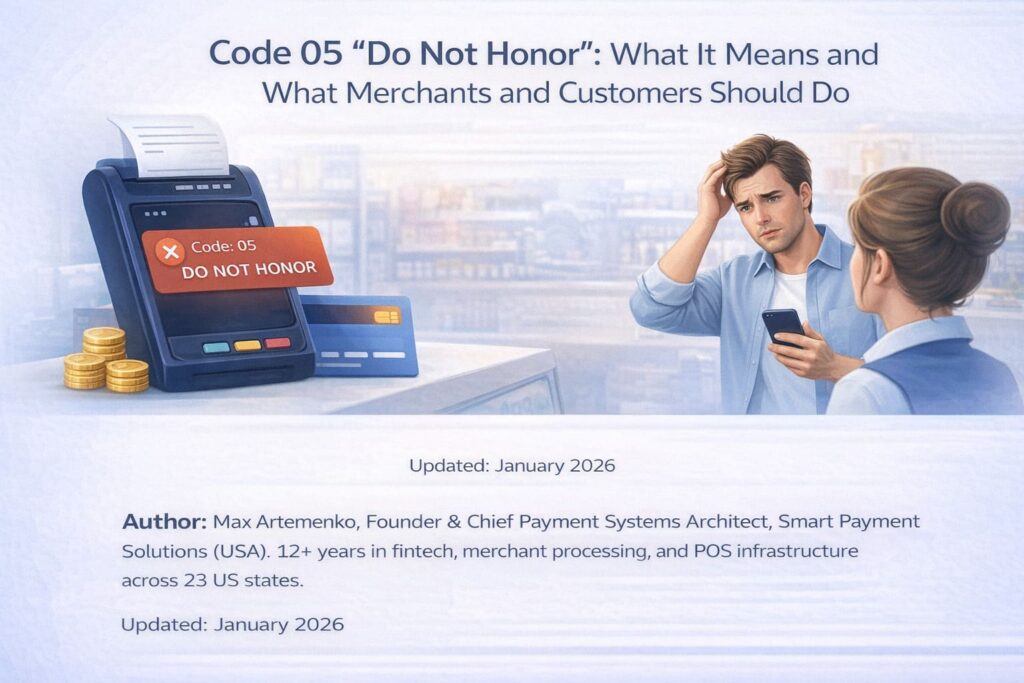
The Problem That Costs Restaurants Thousands: Understanding “Do Not Honor”
I’ve watched restaurants lose $2,500+ per month because they didn’t understand what their POS terminal was trying to tell them. Code 05—”Do Not Honor”—lands on the screen, the customer’s upset, and the staff doesn’t know if it’s a system failure or a customer problem.
Here’s the truth: it’s neither.
It’s the customer’s bank saying no, and how you handle it determines whether you keep the sale or lose it.
“Do Not Honor” (code 05, sometimes displayed as host code 005 or just declined 05) is a generic refusal from the issuing bank—the customer’s bank. It doesn’t mean the card is fake or the customer is committing fraud. It means the issuer decided, for reasons they may not even explain to the cardholder, not to authorize the transaction right now.
Over 12 years working with payment systems across restaurants, retail, and hospitality, I’ve learned that most declines fall into predictable buckets: insufficient funds, fraud flags, account blocks, or entry errors. The fix depends on which one it is.
Every retry looks like desperation to the bank’s fraud filter and can actually trigger additional fraud holds or account restrictions. Once, twice—okay. Five times? You just flagged yourself and the cardholder as high-risk.
What Is “Do Not Honor” (Code 05) and Why Your Terminal Shows It?
Understanding the Basic Definition
“Do Not Honor” is an ISO 8583 standard response code that translates to: the issuing bank will not authorize this transaction, and we’re not giving you the specific reason why.
It’s a hard decline from the bank’s perspective—meaning the transaction stopped at the issuer level, not at your POS or payment processor.
Think of the payment flow like this:
[POS Terminal] → [Your Bank (Acquirer)] → [Visa/Mastercard Network] → [Customer’s Bank (Issuer)]
The issuer checks the account, runs it through fraud rules, and if something doesn’t pass, they send back a response code. Code 05 means: “I’m declining this. No further details.”
It’s the bank’s way of saying no without explaining the “why.”
This is different from a soft decline (which might go away in minutes) or a hard decline like “Pick Up Card” (which means the bank suspects fraud and wants the card retained). Code 05 is somewhere in the middle—firm enough that you shouldn’t retry blindly, but not so severe that you need to seize the card.
The Difference: “Do Not Honor” vs. Soft and Hard Declines
Soft declines are usually temporary issues—network timeouts, temporary fraud holds that lift in hours.
Hard declines include “Pick Up Card” (codes 04, 07, 41) where the bank explicitly instructs you to physically retain the card due to suspected theft, loss, or compromise.
Code 05 falls into a gray zone: it’s a hard decline in that it won’t go away if you retry in 30 seconds. But it’s not a “Pick Up Card” instruction, so you don’t seize the card. The customer can try again later (after contacting their bank) or use a different payment method immediately.
Why Does Code 05 Happen? The Seven Most Common Causes
Based on data from Visa, Mastercard, and my own experience integrating payment systems for restaurants and retail chains, here are the reasons an issuer returns code 05:
1. Insufficient Funds or Exceeded Credit Limit
The account doesn’t have enough balance, or the customer has hit their credit limit.
This is the #1 cause I see in hospitality—travel customers with depleted accounts, or cardholders who underestimated how much they’d spend on a restaurant bill plus tip. When a customer’s available balance is lower than the transaction amount after accounting for existing holds, the issuer declines immediately.
For merchants: The customer needs to contact their bank or use a different card immediately. There’s no workaround.
For customers: Check your bank app, verify balance, and either fund the account or use another card.
2. Issuing Bank Fraud Detection Triggered
The bank’s AI flagged the transaction as unusual.
Maybe the customer is traveling, bought a high-ticket item, or the transaction pattern doesn’t match their normal behavior. The bank says “don’t honor this until the customer confirms.”
3. Account Blocked or Restricted by Cardholder
The customer may have temporarily frozen their card through their banking app, reported it as lost/stolen, or the bank detected suspicious activity and locked the account pending verification.
Action: Customer must contact their issuer to unblock. No merchant workaround exists.
4. Expired Card or Data Entry Error
Card is past the expiry date (month/year on the front), or the customer (or your staff) mistyped the number, CVV, or expiry during entry.
This triggers a mismatch and the issuer bounces it back.
Action: Ask the customer to verify and re-enter, or use a different card.
5. AVS or CVV Mismatch
Address Verification System (AVS) compares the billing address entered against the issuer’s records. CVV is the 3- or 4-digit security code on the card back.
If either doesn’t match, some issuers auto-decline with code 05.
This is especially common with:
- Customers traveling (billing address on file vs. where they’re purchasing)
- Customers with recently moved addresses
- International customers trying to use US cards
- Customers who enter their address incorrectly (ZIP code typo, apartment number omitted, etc.)
6. 3D Secure or CAVV Authentication Failure
For online transactions (or in-person with 3DS enabled), if the customer fails authentication or the verification data (CAVV) doesn’t match, the issuer declines.
7. Pre-Authorization Hold Not Yet Reimbursed
Hotels and gas stations often place pre-auth holds.
If a customer has an active hold from one hotel and tries to use the same card elsewhere before the first hold drops (typically 3–7 days for most issuers, though some banks extend holds up to 14 days), the issuer may decline the new transaction to protect the account balance.
“Do Not Honor” (Code 05) vs. “Pick Up Card” (Codes 04, 07, 41): Know the Difference
This distinction matters legally and operationally for merchants.
Getting it wrong can lead to chargebacks or customer relations disasters.
| Aspect | Code 05: “Do Not Honor” | Codes 04, 07, 41: “Pick Up Card” |
|---|---|---|
| Meaning | Generic issuer refusal; no fraud indicated | Issuer suspects lost, stolen, or compromised card; fraud risk present |
| Severity | Medium-high (decline is firm, but not emergency) | High (security incident; mandatory merchant action) |
| Merchant Action | Inform customer, suggest alternative payment, do not seize card | Retain the card physically (hard capture), do not return it, contact issuer immediately |
| Why It Happens | Insufficient funds, fraud filter trigger (temporary), block/restriction, entry error, 3DS failure | Card reported lost/stolen, account compromised, fraud detected at issuer, card cloning suspected |
| Customer Communication | “Your bank declined this. Please contact them or use another card.” | “Your bank has requested we hold your card. This is a security measure. Please contact your bank at [number].” |
| Cardholder’s Next Step | Contact bank to lift hold, verify details, or use different card | Contact issuer immediately; confirm card status; may need card replacement |
| Retry Possibility | Yes, after customer contacts bank and gets approval (usually within hours/day) | No. Card is retained per issuer instructions. |
| Chargeback Risk to Merchant | Low (if documented that decline came from issuer) | Very high if merchant ignores “pick up” instruction or returns card to wrong person |
| Legal Obligation | None—inform customer and suggest alternative | Mandatory per merchant agreement—failure to retain card violates acquirer contract and exposes you to liability |
What Merchants Should Do: Step-by-Step When Code 05 Appears
The information provided here is general in nature and does not replace consultation with a payment processor specialist or legal advisor regarding your specific merchant agreement obligations. Payment processor policies may vary; always refer to your acquirer’s guidelines for code 05 handling.
I’ve worked with restaurants where staff didn’t know whether to comfort the customer or take the card.
Here’s the exact sequence:
Step 1: Don’t Panic or Blame Your System
Code 05 isn’t your terminal’s fault.
The terminal is a messenger—it’s reporting what the bank said. Nine times out of ten, customers think you denied them.
You didn’t.
Step 2: Verify the Basics (Takes 30 Seconds)
Ask the customer to confirm:
- Card number is correct (no typos during swipe or manual entry)
- Expiry date hasn’t passed (check the card in hand)
- Amount seems reasonable to them
If they spot an error, ask them to try again with corrected details.
Step 3: Retry Once, Max Twice
Wait 1–2 minutes, then attempt the transaction again.
Sometimes networks clear temporary holds in that window. Do not retry 5+ times—that’s a red flag to fraud systems and can result in the card being locked or additional fraud holds placed on the account.
Step 4: Offer an Alternative Payment Method Immediately
This is where you keep the sale:
- Different credit or debit card
- Contactless mobile payment (Apple Pay, Google Pay)
- Bank transfer or payment app (Venmo, Square Cash)
- ACH/check (if it’s a service business)
- Split payment (part card, part cash)
At restaurants, I’ve seen the “split tender” save the night: $80 on the declined card’s offer (customer contacts bank, they approve the lower amount), $30 on a different card.
Transaction completes, customer happy, you get paid.
Step 5: Inform the Customer, Tactfully
Use language like:
“Your bank’s system declined this transaction—this is their security process, not something we did. Could you call your bank while I help the next customer, or would you like to try a different payment method?”
This reframes the situation: it’s not your fault, it’s standard banking practice, and you’re offering a solution.
Step 6: Document the Decline in Your System
If your POS or payment gateway logs transactions, mark this one as declined with code 05.
Over time, this data helps you spot patterns (e.g., “Tuesday evening we get more declines from out-of-state cards”—hint: fraud filter on travel).
Step 7: Review with Your Acquirer if Declines Spike
If decline rate jumps from 2% to 8% or your approval rate drops unexpectedly, contact your payment processor.
Sometimes:
- Your terminal is misconfigured and sending bad data
- Your MCC (merchant category code) is flagged for high risk
- Approval thresholds have shifted
- You need to adjust AVS/CVV settings
A good processor will audit your decline patterns and suggest fixes—sometimes as simple as enabling “soft descriptor” to match customer expectations, or adjusting fraud thresholds.
What Customers Should Do: Your Step-by-Step Recovery Plan
When your card gets declined, panic doesn’t help.
Here’s the roadmap:
Step 1: Confirm What the Merchant Told You
Ask the merchant: “What code did the terminal show?”
If it’s code 05 (“Do Not Honor”), that’s on your bank, not them. This alone reduces anxiety—you know it’s not fraud in the criminal sense.
Step 2: Check Your Account Before Trying Again
Open your bank’s mobile app and verify:
- Available balance: Is there enough for this purchase? (Hint: if your balance is $500 and you’re buying a $450 item, you might only have $50 of available balance after holds from prior transactions.)
- Card status: Is it active or frozen? Many banks let you toggle this in-app.
- Fraud flags: Are there alerts saying “unusual activity detected”?
- Transaction limits: Some accounts cap daily or monthly spending.
If the balance is low or the card is frozen, you’ve found the answer.
Step 3: Contact Your Bank If Anything Looks Wrong
Call the number on the back of your card (or use the bank’s app to initiate a call).
Tell them:
“I just tried to use my card at [merchant name] for $[amount], and it was declined with code 05. Can you tell me why and clear it?”
Issuer may ask: Is this a legitimate purchase? (Yes/No) Are you authorizing this amount? (Yes)
They’ll either lift a hold, explain the block, or ask you to complete verification (security questions, photo ID upload, etc.)
Most holds clear within minutes of this call, though some banks may require additional verification steps that can take 24 hours.
Step 4: Retry the Transaction After Bank Approval
Once the issuer has approved it or lifted the hold, try the card again.
The merchant should be willing to reattempt once you’ve clarified the situation.
Step 5: Use an Alternate Payment Method If Easier
Don’t stress.
If the bank says “it’ll clear in 24 hours” but you need to pay now, use:
- Another card (debit, credit, or prepaid)
- Mobile wallet (Apple Pay, Google Pay)—they route through the same card behind the scenes, but sometimes a fresh connection works
- Bank transfer (if the merchant accepts it)
“Pick Up Card” Command: What It Means and What You Must Do
If your POS terminal displays “Pick Up Card” or shows code 04, 07, or 41, stop.
This is a hard stop.
“Pick Up Card” is not a suggestion. It’s an instruction from the issuing bank to you, the merchant, to physically retain that card.
The reasons vary:
- Code 04: Pick up card (general reason—could be fraud, account restrictions, or issuer investigation)
- Code 07: Pick up card (fraud suspected)
- Code 41: Lost/stolen card
The issuer has flagged this card as a security risk. If you return it to the customer or ignore the instruction, you breach your merchant agreement and expose yourself to chargebacks, liability, and possible involvement in fraud.
Security First: Protecting Your Staff and Customers
If the situation feels unsafe—aggressive customer, confrontational behavior, threat—do not attempt to retain the card.
Instead:
- Politely decline and explain it’s a security procedure
- Offer to call the issuer on speakerphone so they hear it directly
- Have management or security present
- If the customer becomes threatening, contact local law enforcement
Your safety and your team’s safety always come first.
A card is not worth a confrontation.
Your Step-by-Step Actions for “Pick Up Card”
1. Do Not Return the Card to the Customer
I cannot overstate this.
When the terminal says “pick up card,” you physically take it and keep it. Do not:
- Hand it back and say “try another card”
- Let the customer take it and leave
- Shame or embarrass the customer publicly
Instead, hold the card and explain calmly.
2. Stay Calm and Professional
The customer is usually as confused as you are. They didn’t report their card stolen (or didn’t know it was compromised).
Approach it as a security procedure, not an accusation:
“Your bank’s system has flagged this card for security purposes and has asked us to hold it. This is standard protocol. Please contact your bank at [number on the back], and they’ll help sort this out. It’s not about you personally—it’s about protecting your account.”
3. Call Your Payment Processor (Acquirer) Immediately
Get your processor on the line and provide:
- Merchant ID
- Transaction amount
- Masked card number (last 4 digits only)
- Exact code received (04, 07, 41, etc.)
- Timestamp
- Customer’s location (if applicable)
The processor will confirm whether you should:
- Retain the card (most common)
- Shred/destroy it
- Return it to the issuer
- Contact local law enforcement
4. Follow Your Processor’s Instructions Exactly
Different processors and issuers have slightly different procedures.
Some require:
- A written incident report within 24 hours
- Photographs of the card
- Signature from the customer (if they’re still present)
- Submission to a fraud team
5. Store the Card Securely
If you’re retaining it, don’t leave it on the counter.
Put it in an envelope, label it with:
- Date
- Time
- Authorization code from the terminal
- Your name/initials
- Store the envelope in your safe or designated secure location
6. Communicate with the Customer
Provide them with:
- Your processor’s customer service number
- A receipt showing the declined transaction
- Guidance: “Please contact your bank immediately. They’ll explain the hold on your card and arrange for a replacement or resolution.”
Offer an immediate solution—other payment method, or they can return later once their bank clears things up.
7. Document Everything
Keep records of:
- Incident date and time
- Card last 4 digits
- Code received
- Actions taken
- Customer name (if provided)
- Phone number of processor rep you spoke with
- Confirmation number or reference from processor
This documentation protects you if questions arise later.
Your POS Terminal’s Common Decline Codes: A Complete Reference
Every code tells a story.
Here’s a guide to the most frequent messages your restaurant, retail shop, or service business will see:
| Code | Terminal Message | What It Means | Root Cause | Merchant Action |
|---|---|---|---|---|
| 05 | Do Not Honor | Issuer declines; no specific reason | Insufficient funds, fraud flag, account block, entry error, 3DS failure | Ask customer to contact bank; suggest alternate payment; don’t retry excessively |
| 04 | Pick Up Card | Issuer requests card retention (general/account issue) | Card restricted, account under investigation, issuer-initiated block | Retain card; call acquirer; provide customer issuer contact number |
| 07 | Pick Up Card (Fraud) | Issuer suspects fraud; card compromised or account takeover | Suspected card cloning, unauthorized use, account compromise detected | Retain card; call acquirer immediately; follow security protocol; document incident |
| 41 | Lost/Stolen Card | Cardholder reported card lost or stolen | Card reported to issuer as missing or stolen | Retain card; call acquirer; document incident; store securely |
| 51 | Insufficient Funds | Cardholder’s account balance too low | Account depleted or insufficient available balance | Suggest alternate payment or different card |
| 54 | Expired Card | Card past the expiration date shown | Cardholder’s card validity period ended | Ask customer for updated card or alternate payment |
| 57 | Transaction Not Permitted | Card/account doesn’t support this transaction type | Card type (debit/credit/prepaid) incompatible with MCC or transaction type (cash advance, international) | Verify transaction type; suggest compatible payment method (different card, cash, ACH) |
| 62 | Restricted Card | Cardholder has restrictions on card use | Issuer or cardholder-initiated restrictions; card flagged for certain merchants/categories | Suggest alternate card; note restriction in customer communication |
| 63 | Security Violation | Security check failed (CVV mismatch, PIN error, etc.) | Incorrect CVV, PIN entry error, 3DS authentication failure, address mismatch | Verify CVV with customer; check billing address; ask for re-entry or alternate card |
| 65 | Exceeds Withdrawal/Limit | Transaction exceeds daily or transaction limits | Cardholder’s limit exceeded or velocity/usage cap hit | Suggest split payment or alternate card |
| 91 | Issuer or Switch Inoperative | Issuer’s system is down or unreachable | Bank maintenance, network outage, connectivity issue | Retry in 5–10 minutes; offer alternate payment; note incident in your records |
| 96 | System Malfunction | Processing system error (yours, processor’s, or network) | Terminal/gateway software glitch, network connectivity failure | Restart terminal; verify internet connection; contact acquirer if persists |
| 12 | Invalid Transaction | Transaction format invalid or unsupported | Malformed request, unsupported transaction type, or POS misconfiguration | Retry transaction; verify terminal settings; contact processor if issue persists |
| 14 | Invalid Card Number | Card number is invalid or doesn’t exist | Typo during card entry, invalid PAN format, non-existent card | Ask customer to verify card number; try manual entry if swiped; use different card |
“No Card Record”: What This Error Means and How to Fix It
“No Card Record” is a frustrating message because it sounds technical, but it usually signals something simple: the card number or details you entered don’t match any card in the issuer’s database.
Why It Happens
- Typo during entry — You or the customer mistyped a digit in the card number, expiry, or CVV.
- Invalid PAN — The card number doesn’t follow Visa/Mastercard number rules (doesn’t pass Luhn check).
- Card hasn’t been activated — New card issued but not yet activated by the cardholder.
- Closed account — The cardholder closed the account, but the card number still exists in old records; issuer can’t find active record.
- Routing error — Rare, but the card gets routed to the wrong processor or network.
Merchant and Customer Fix
For merchants:
- Double-check the card number digit-by-digit with the customer
- Verify expiry date (MM/YY format)
- If swiped, try manual entry (or vice versa)
- Ask customer to try a different card
- If the problem persists across multiple customers and different cards, contact your processor—your terminal might be misconfigured
For customers:
- Confirm the card number, expiry, and CVV with the card in hand
- If it’s a new card, activate it via the bank’s app or phone line first
- If the card is old or closed, use a different card
- If the card should be active and you see this error at multiple merchants, call your bank—something is wrong with your account or card record
“Transaction Not Permitted”: Why Your Card Gets Rejected Even With Funds
This code means your card type, account, or the merchant’s category doesn’t match up.
It’s not a refusal due to fraud or funds—it’s a rule mismatch.
Common Reasons
1. Card Type Mismatch
- You’re using a debit card at a merchant that only accepts credit
- You’re using a prepaid card for a transaction type (subscription, international) the issuer restricted
- You’re trying a cash advance on a debit card (not supported)
2. Merchant Category Code (MCC) Restriction
- Your card issuer has blocked certain categories (e.g., bars, gambling, adult entertainment) based on your account restrictions
- This is especially common with business cards, student cards, or cards linked to certain savings goals
3. Geographic Restriction
- Card is flagged for US-only, and you’re trying an international transaction
- Merchant location triggers a rule (e.g., military-base merchant codes for civilian cards)
4. Transaction Type Not Supported
- Card doesn’t support online purchases, contactless, or mail/phone orders
- Subscription billing not enabled
How to Fix It
Merchant side:
- Verify the card type before processing (ask “debit or credit?”)
- If the customer insists the card should work, suggest they contact their bank
- Offer alternative: different card, cash, payment plan, ACH transfer
Customer side:
- Contact your issuer and ask why the transaction was blocked
- Request to enable the transaction type or merchant category
- Use a different card (credit vs. debit, or a personal vs. business card)
- Set up an ACH or bank transfer if the merchant accepts it
“Hold Call” or “Refer to Issuer”: What to Do When Your Terminal Says “Call”
Sometimes the terminal doesn’t decline outright.
Instead, it says:
- “Hold Call”
- “Refer Call to Issuer”
- “Call Issuer”
This is a request for voice authorization. The transaction isn’t automatically approved or declined—a human operator (or AI system) at the issuing bank needs to make the call.
Why This Happens
- Transaction amount is unusually high
- Card is flagged for manual review
- There’s ambiguity in the data that requires clarification
- Velocity or pattern checks triggered manual intervention
Your Steps as a Merchant
1. Inform the Customer
“Your bank needs to verify this transaction verbally. I’m going to call them now.”
This reframes it from “something’s wrong” to “security protocol.”
2. Initiate the Call on Your Terminal
Most POS systems have a button labeled ‘Voice Auth,’ ‘Hold Call,’ or ‘Call Center.’
Press it. The terminal will connect you to the issuer’s authorization center.
3. Have This Information Ready
- Merchant ID (on your terminal or contract)
- Transaction amount
- Card account number (full PAN only if the system requests it, otherwise masked)
- Card expiration date
- CVV2 or CVC
- Merchant name and location (for reference)
- Trace number or transaction reference from the terminal
When collecting or communicating card details during voice authorization, do not:
- Record the full PAN (Primary Account Number) in plain text in customer-accessible systems
- Store CVV data anywhere after the call concludes
- Email or text card details to team members
- Include full card numbers in incident reports or email communications
Refer to your PCI DSS compliance guidelines for proper masking and secure documentation practices.
4. Speak With the Operator
You’ll reach a voice authorization center.
Introduce yourself:
“Hi, this is [Your Name] at [Merchant Name]. I have a customer here trying to process a $[amount] transaction on card ending in [last 4 digits]. The terminal is asking for voice auth.”
The operator will:
- Verify your merchant info
- Ask you to confirm the amount and card details
- Sometimes ask security questions or request you place the customer on the line
- Provide an approval code or tell you to decline
5. Process the Result
- If approved: Write down the approval code, enter it into your terminal, and complete the transaction.
- If declined: Inform the customer politely and suggest an alternative payment method.
6. Document the Call
Note in your transaction records:
- Date and time of call
- Operator name (if provided)
- Approval or decline result
- Approval code (if approved)
What the Customer Sees: Communication Scripts That Work
When a payment fails, what you say in the next 10 seconds determines whether the customer trusts you or blames you.
Here are scripts that work:
Script 1: Direct and Reassuring
“Your card was declined by your bank’s security system—this isn’t something we did. This is them protecting your account. Could you call your bank to authorize it, or would you like to try a different payment method?”
Why it works: Removes blame from the merchant, explains the situation as routine, and offers solutions.
Script 2: Empathetic and Practical
“I’m sorry, your bank declined this transaction. Happens to the best of us—usually they just need to confirm it’s you. Do you want to call them quick from here, or would you prefer to use another card?”
Why it works: Normalizes the situation, doesn’t make the customer feel singled out, and gives agency.
Script 3: Technical and Thorough
“Your bank’s system is showing a hold on this card. Before we try again, let’s verify the card details—number, expiry, everything correct? If so, your bank can lift the hold in a minute if you call them.”
Why it works: Methodical, offers specific next steps, and doesn’t waste time on guesses.
Script 4: Split-Payment Offer
“Your bank declined the full amount. Would you be open to splitting the payment—maybe $[reduced amount] on this card and the rest on a different card or cash?”
Why it works: Keeps the sale, reduces friction, and solves the immediate problem.
Card-Present vs. Card-Not-Present: How Response Codes Differ
The rules around “Do Not Honor” and “Pick Up Card” vary significantly depending on whether the customer is physically present with their card or not.
Card-Present (CP) — In-Person at Your Location
When you can see and hold the customer’s card:
- Code 05: Retain the card in your possession temporarily, inform the customer, offer alternatives.
- Code 04/07/41: Physically retain the card per issuer instructions. Do not return it.
- Voice auth (“Hold Call”): Customer present; you can ask them verbally to provide details or contact their bank on speakerphone.
Your merchant agreement explicitly covers card-present scenarios. Failure to retain a “Pick Up Card” when in-person is a breach of contract.
Card-Not-Present (CNP) — Online, Phone, or Mail Order
When the customer is not physically present (e-commerce, phone payment, mail order):
- Code 05: Offer digital alternate payment (different card, digital wallet, ACH).
- Code 04/07/41: You cannot physically retain a card. Instead:
- Do not process the transaction
- Do not ship merchandise or provide services
- Do not charge the customer’s account
- Flag the order as blocked due to card security concerns
- Contact your payment processor for guidance
- If the customer calls or emails, explain that their bank flagged the card and they need to contact their issuer
- Some processors recommend notifying local law enforcement if you suspect fraud
Bringing It Together: Your Decline-Management Checklist
Save this. Print it. Put it behind your POS counter or in your staff training manual.
When a card is declined:
- ✅ Breathe. It’s not your fault. Code tells the story.
- ✅ Check the code (05, 04, 57, etc.).
- ✅ If “Pick Up Card” (04, 07, 41): Retain card immediately. Call acquirer. Follow security protocol. Do not return card to customer.
- ✅ If “Do Not Honor” (05): Verify card details with customer. Retry once. Suggest alternate payment. Ask customer to contact bank.
- ✅ If “Hold Call”: Initiate voice auth on terminal. Have merchant ID and transaction details ready. Follow PCI guidelines for data handling.
- ✅ If “Transaction Not Permitted” (57): Different card type may be needed. Suggest cash, ACH, or different card.
- ✅ If “Expired Card” (54): Ask for updated card. Offer alternate.
- ✅ If “System Malfunction” (96): Restart terminal. Check internet. Retry in 5 min.
- ✅ Document: Date, time, code, actions, customer response.
- ✅ Follow up: If declines spike, contact your processor for audit.
- ✅ Train your team: Share these scripts and processes monthly. Declines will happen—consistency prevents customer frustration and chargebacks.
- ✅ Protect your staff: Never put team members in unsafe situations over a card. Safety first.
Why This Matters for Your Bottom Line
Understanding decline codes directly impacts your revenue.
Code 05 and related declines cost merchants time, customer frustration, and lost sales. One restaurant chain I worked with had an 8% decline rate. After training staff on these codes and implementing a simple “split payment” option, they cut declines in half and recovered an extra $2,400 per month per location.
“Max has done a great job from the C/C transition and our Sky Tab POS install. Look forward to doing business in the future with SHIFT4.”
— Multi-location Merchant, Case Study (Smart Payment Solutions)
Here’s why this matters:
Revenue Recovery
Every declined transaction that you can convert to an alternate payment method is direct revenue saved. In hospitality, where margins run 5-10%, even small transaction completions add up.
Customer Retention
How you handle a decline sets the tone. Customers who see a professional, knowledgeable response are far more likely to return. Those who feel blamed or poorly handled may never come back.
Chargeback Prevention
Proper documentation of declines, especially “Pick Up Card” incidents, protects you from chargebacks and fraud disputes. If you can show you followed protocol, acquirers and networks will back you.
Fraud Prevention
These codes exist for a reason. Respecting “Pick Up Card” instructions protects your merchant account from compromise and reduces your fraud liability.
Code 05 is one of the most common responses you’ll see. Understanding it—why it happens, what it means, what to do—turns a moment of awkwardness into a 30-second upsell opportunity (alternate payment method) or relationship-building moment (you helped the customer solve their bank’s problem).
Your customers don’t blame the bank. They blame you if you can’t explain what happened or offer a way forward.
Learn these codes, train your team, and you’ll see the difference in customer satisfaction and revenue.
Final Word
“Do Not Honor” feels like a rejection, but it’s actually the system working.
The issuer is protecting their cardholder. Your job is to stay calm, communicate clearly, and offer a solution.
Nine times out of ten, the customer appreciates the transparency and remembers you handled it professionally.
And when you do?
They come back.
Need Help Optimizing Your Payment Processing?
Understanding decline codes is just the beginning. Smart Payment Solutions helps restaurants and retail businesses reduce declines, prevent chargebacks, and maximize revenue through optimized payment processing.
Related Resources
- Payment Processing Fundamentals — Learn how card authorization works end-to-end.
- Chargebacks and Fraud Prevention — Know how to document and defend against chargebacks.
- POS Terminal Selection — Some terminals handle voice auth better and have clearer error messaging.
- Mobile Credit Card Payment Processing — Contactless and mobile wallets offer alternative payment routes.
- Contactless Payment Solutions — Apple Pay, Google Pay, and tap-to-pay options.

What do our customers think about us
Other Articles
Merchant Override Decline: What It Means and How to Fix It
The Ultimate Directory of Credit Card Decline Codes for Merchants
How to Handle Decline Code 51 (Insufficient Funds) at Your Restaurant
